Thirty seconds of video is not a launch video
The obvious reading of Kling 4.0 for product videos: one generation makes up to 30 seconds, so the 30-second launch video has just made itself. It hasn't. A launch video is a run of beats, and the beat a buyer must believe shows your product's own screens: labels, prices, buttons.
Kling 4.0 went fully available on October 15 on kling.ai, so this is now a planning question. Which shots of your next product video go to Kling 4.0, and which do you still film from the live product?
What Kling 4.0 means for product videos, in one line
Kling 4.0 belongs around a product video, not inside it, because its pages show better atmosphere shots and nothing about a real app's screens coming out legible. Generate the atmosphere; film the screens.
This post reads Kling's own launch announcement, developer release note and feature page. We haven't tested it in uscale; this covers what the launch means for product videos.
What Kling 4.0 adds for product videos
Each Kling 4.0 feature fits the shots around your product better than its screens:
| Feature, as Kling words it | Use in a product video | Source |
|---|---|---|
| Up to 30 seconds in one generation | A long opening or closing sequence | Kling 4.0 feature page, Oct 16, 2026 |
| Up to 10 flexible keyframes | Set where a camera move starts and ends | Feature page, Oct 16, 2026 |
| Up to 15 combined references: images, videos, subjects, voice tone | Keep the product's look consistent across shots | Feature page, Oct 16, 2026 |
| Dual-channel stereo audio | Sound arrives with the shot | Feature page, Oct 16, 2026 |
| Resolution up to 4K, stable dynamic motion, more accurate lip sync | A sharp wide shot with a steady moving camera | Kling on X, Sep 28, 2026 |
| 21:9 ultrawide, 16:9, 1:1, 9:16, plus a Smart format | A wide launch film and a vertical cut for feeds | Feature page, Oct 16, 2026 |
| Refreshed interface on kling.ai, plus MCP and a CLI | Work in the browser or from tools you already use | Kling on X, Oct 15, 2026 |
A hypothetical keyframe plan for a launch film's opening: the first keyframe is a wide shot of a quiet office before the workday starts, and the last is a slow push-in on a monitor showing only a soft glow. The film then cuts to your first screen, filmed from the live product. The generated shot carries the mood, and the filmed screen carries the proof.
Our Kling 3.0 read covers the earlier version; Kling's pages give no side-by-side numbers.
What Kling 4.0 doesn't promise yet
Two things a launch team would plan around are not here yet. Kling's October 15 launch post lists both as coming soon: 10-bit HDR output at 4K and 1080p, and API access for enterprise customers and developers. Video extension, up to 2 minutes in total, is also coming soon, per Kling's feature page.
Without the API there is no automated pipeline today; the routes Kling names are MCP and a CLI. Kling 4.0 Flash makes up to 20 seconds at up to 720p, which suits drafts, not a final 4K cut. A coming-soon list is a roadmap, not a spec.
| Available now | Coming soon | Not documented |
|---|---|---|
| Web interface, MCP, CLI | 10-bit HDR at 4K and 1080p | Legible product UI (better text generation is claimed, but no UI shown) |
| Kling 4.0 Flash, early access for Ultra Yearly subscribers or a limited group: up to 20 seconds, up to 720p | API access | Price and plans |
| Video extension, up to 2 minutes in total |
Two gaps matter most for a product video. Kling's release note claims better text generation, but nothing we found shows an app's interface coming out legible, and the pages we read give no prices.
Why not generate the whole thing?
The strongest case goes like this. Kling's Kling 4.0 feature page says the model accepts up to 15 combined references, including images and videos, and up to 10 keyframes. So you could feed it screenshots and a screen recording of your app, pin the first and last frames, and let one 30-second generation carry the product screens too. One tool, one look, no filming.
The answer is in what a buyer does with a screen: they read it. A generated screen is a likeness of your product, and one wrong label makes them doubt the rest. A filmed screen shows the labels your product actually has. So generate the atmosphere and film the real screens.
Using Kling 4.0 in a product launch video
Split the shots. Give Kling 4.0 the atmosphere: an opening or a closing beat. Film every product screen from the live product. You're done when each beat in your plan is marked "generate" or "film".
A sample beat sheet (hypothetical)
Say you're launching a reporting app next week.
| Beat | Source | What it holds |
|---|---|---|
| 1. Opener | Kling 4.0 | Prompt: "Slow dolly across a desk at dawn toward a closed laptop, soft window light, no screens, no text." First keyframe: wide on the desk. Last keyframe: close on the laptop lid. |
| 2. Dashboard | Filmed | "Start on the dashboard, where this week's reports wait on one page." |
| 3. Filter | Filmed | "Pick a team, and the charts follow." |
| 4. Export | Filmed | "End on the export: the report goes out as it looks here." |
| 5. Close | End card | Product name, launch page address, "Try it today." |
The split holds for other products. For a developer tool, film the terminal and the docs page; for a consumer app, film its own screens at phone size; for an agency, write one beat sheet per client and generate only the openers. More for software products.
Quick win, under an hour: write beat 1's prompt and the three narration lines in a doc.
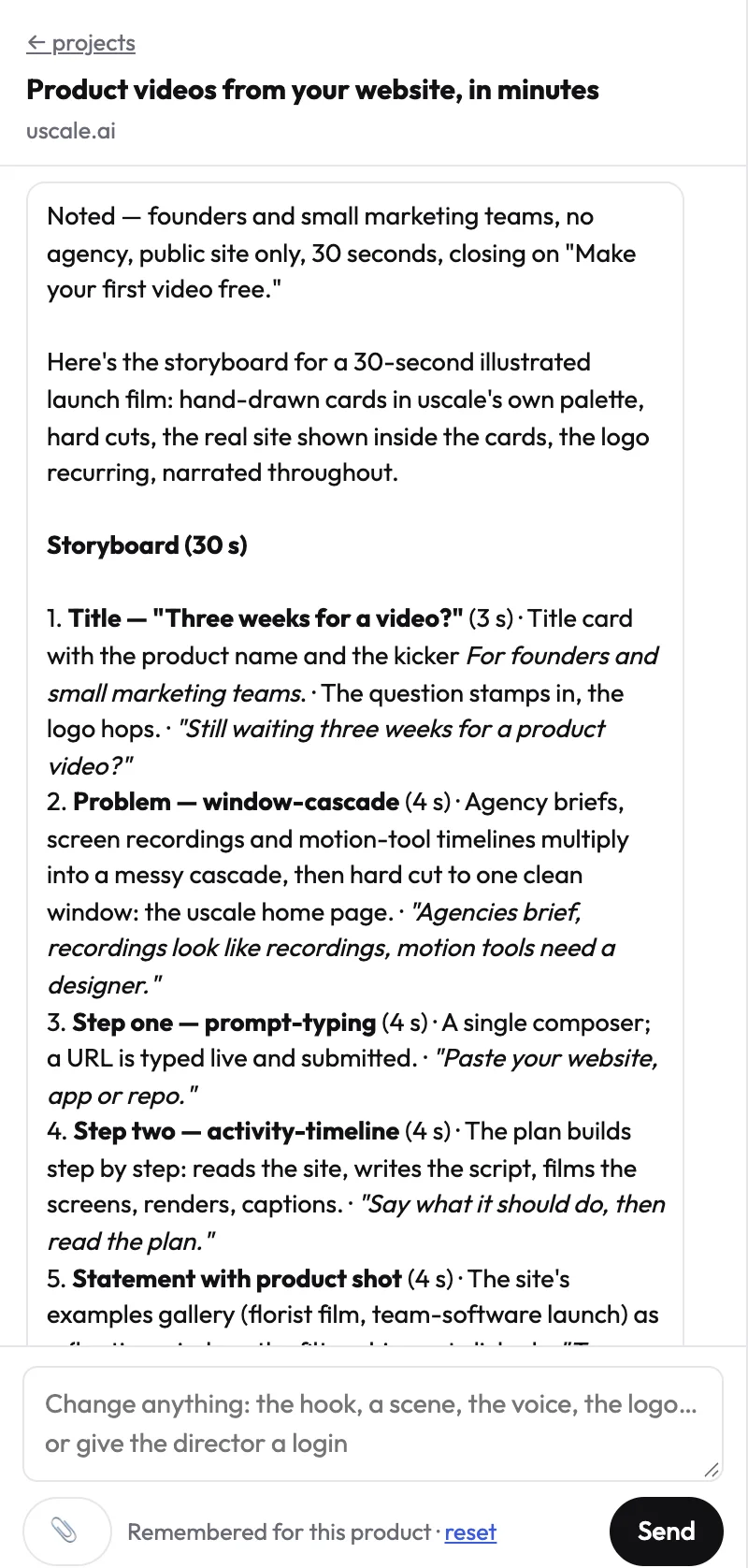
Film beats 2 to 4. Use the screen recorder you have, or paste your site or app address into uscale. It films the real product, writes a storyboard with every narration line for your approval, and adds voice, captions and music. A cinematic cut with AI film shots costs more credits (pricing). uscale has not added Kling 4.0, and this post claims nothing about which models uscale uses. If you prefer MCP, uscale has an MCP server for Claude, ChatGPT, Cursor or VS Code.
Cut the beats together into your product launch video. You're done when the video sits on your launch page and sales has one link to send.
Try it: make a product launch video from your live product, with every narration line approved before filming.
What to do with Kling 4.0 this week
- Try one b-roll shot of up to 30 seconds in Kling 4.0 for your next launch video's opening.
- Film the product screens from the live app. Your first uscale video is free.
- Wait for API access and 10-bit HDR, both listed as coming soon, before building a pipeline on Kling. Check Kling's pricing page before you budget.
- See filmed screens next to cinematic shots in the example films.
We'll update this post when API access or HDR launches.
Make your kling 4.0 for product videos from your website — it’s free →
Questions
What is Kling 4.0?
Kling 4.0 is an AI video generation model from Kling AI, announced fully available on October 15, 2026 through a refreshed creation interface on kling.ai. Its feature page lists generations of up to 30 seconds, up to 10 keyframes, up to 15 combined references such as images and videos, and dual-channel stereo audio. A lighter Kling 4.0 Flash makes up to 20 seconds at up to 720p.
How long a video can Kling 4.0 generate, and does it make 4K?
Kling 4.0 generates a video of up to 30 seconds in one generation, according to Kling's feature page. Kling's September 28 announcement lists resolution up to 4K. 10-bit HDR output at 4K and 1080p is listed as coming soon, as is video extension of up to 2 minutes in total. Kling 4.0 Flash tops out at 20 seconds and 720p.
Can Kling 4.0 show my product's interface and on-screen text legibly?
Kling 4.0's developer release note claims improved text generation. None of the Kling pages we read show a real app's interface or on-screen text coming out legible, and uscale has not tested it. Labels, prices and buttons are what a buyer reads and trusts, so the safe plan is to generate atmosphere shots with Kling 4.0 and film the product's real screens from the live app.
Does Kling 4.0 have an API, MCP or CLI?
Kling 4.0 can be used through MCP and a CLI, as well as the refreshed web interface on kling.ai, according to Kling's October 15 launch post. API access for enterprise customers and developers is listed as coming soon, so there is no Kling 4.0 API to build an automated pipeline on today. Teams that need one should wait for Kling to announce API availability.
What does a product launch video cost with uscale?
The first product launch video with uscale is free: a new account gets 10 credits, or 20 with a work email, and no card is needed. After that, according to uscale's pricing page, credits are bought once with no subscription: Lite is $29 for 25 credits, about 2 launch films; Starter $49 for 50 credits, about 5; Growth $129 for 150 credits, about 15. Cinematic cuts with AI film shots cost more credits.

The team behind uscale, which turns a website, web app or GitHub repo into a narrated product video.