The slow part of an app promo video from screenshots
Your store screenshots are finished, so an app promo video from screenshots sounds like a quick job: resize for TikTok and Reels, caption, time, export. Resizing looks like the slow part.
It isn't. A screenshot is one still state. A promo has to show the core interaction moving, the tap or swipe that makes the app worth having, in the first 3-6 seconds that TikTok's creative playbook calls critical. Stills can't show what happens between them.
uscale makes films from a website, web app or GitHub repo, not from screenshots alone. A phone-only app leaves you the stills, and the motion has to come from somewhere.
Either way, the work starts with the one moment the video shows first.
Plan the first seconds around one interaction
Before you open a screenshot, pick the one tap or swipe that makes your app worth having, and put it first. TikTok's playbook for small businesses calls the first 3-6 seconds critical, because people scroll quickly. A logo or splash screen spends that time on nothing.
The same playbook gives the rest of the sheet. Open with a hook, then show the selling points in a clear and memorable way. End with a call to action, the line that tells the viewer what to do next, in text, a voice or a graphic.
Keep one interaction per video. A feed gives no time for a feature list, so every beat returns to the same moment.
Here is the sheet filled in for a hypothetical scheduling app with a web app and a phone app.
Hypothetical example: a scheduling app
| Beat | What the viewer sees | Caption on screen |
|---|---|---|
| Hook | A thumb drags a meeting to Thursday in the phone's week view | "Move a meeting with one drag" |
| Selling point | The invite updates for every guest on the same screen | "Everyone's calendar follows" |
| Selling point | The web app's team view shows the moved meeting | "Same change on your laptop" |
| Call to action | App name and store badges over the week view | "Get it on your phone or the web" |
The sheet is done when every row names a screen and the words on it. A row without a screen describes a feature instead of showing it. The finished sheet tells you which screenshots the next step needs.
Make an app promo video from screenshots by hand
The by-hand route has two real strengths. It keeps the exact look of your store screenshots, and it works when your app has no web version to film.
- Put the screenshots in beat-sheet order, one screen per beat.
- Place each one in a device mockup. This is a rendered phone frame drawn around the screen so it reads as an app.
- Add movement between screens: a slow pan, a zoom into the button that matters, a transition to the next state.
- Add the caption text for each beat.
- Re-time and export a separate cut for every format you post to.
Rotato is one tool built for steps 2 and 3. Its homepage, read 15 October 2026, pitches its mockups for App Store images, App Store previews, TikTok and Instagram. The same page claims a 3D freelancer costs $300+ per hour. Rotato's Pro plans are a single payment, and its tiers differ by which templates and devices they include.
The limit is built into the material. A screenshot shows where the user ends up, never the tap that got them there. The motion you add comes from the camera, not the app, so the words on screen have to carry the hook. Every format is also re-cut by hand, so count those hours before you start. That makes the captions the next thing to get right.
Write captions that carry the video with the sound off
Write each caption as a plain statement of what the screen shows at that moment. The video then makes sense muted, and the voice adds to it without being required.
Meta's guidance on designing video ads for sound off points the same way. In one study of Facebook video ads, 41% were "basically meaningless without sound." Meta's internal tests found that captioned video ads increased view time by an average of 12%. The source is an older Meta announcement, so treat these figures as a direction, not a current benchmark.
Burn the captions in. Burned-in captions are words that are part of the picture, so they appear wherever the file plays.
Test every beat muted. If a stranger can tell what just happened, the beat is done. Describe the screen, not the promise. "Plan smarter" over a calendar tells a muted viewer nothing. "Drag a meeting to Friday" tells them what they are watching.
uscale burns captions into every film, and they can't be turned off today. You pick the voice from samples read in your own words, and the music ducks under the voice when it speaks.
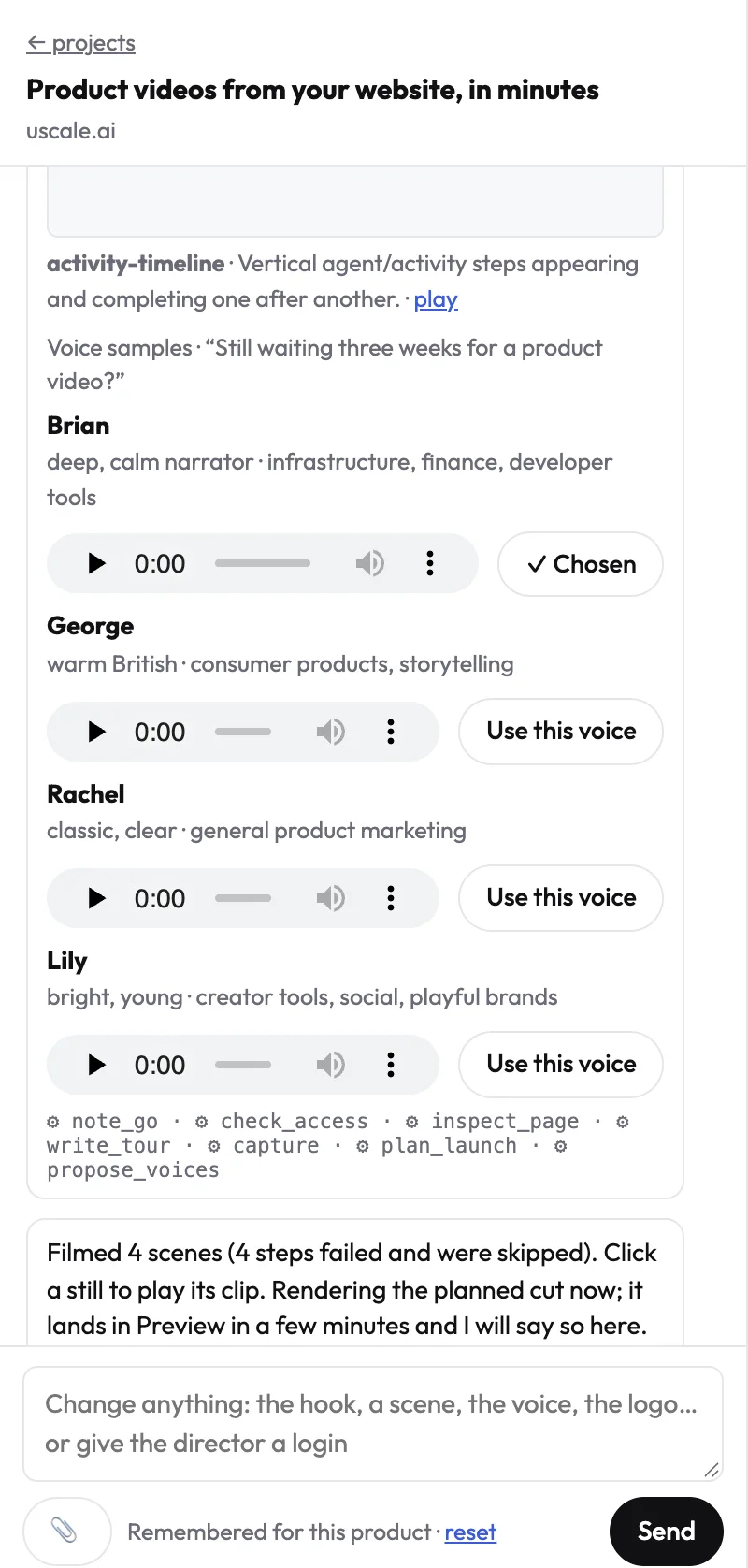
With the words settled, the next step is the picture under them.
Film the live web app instead of the screenshots
If your app runs in a browser, film it live so the tap between two states is on screen.
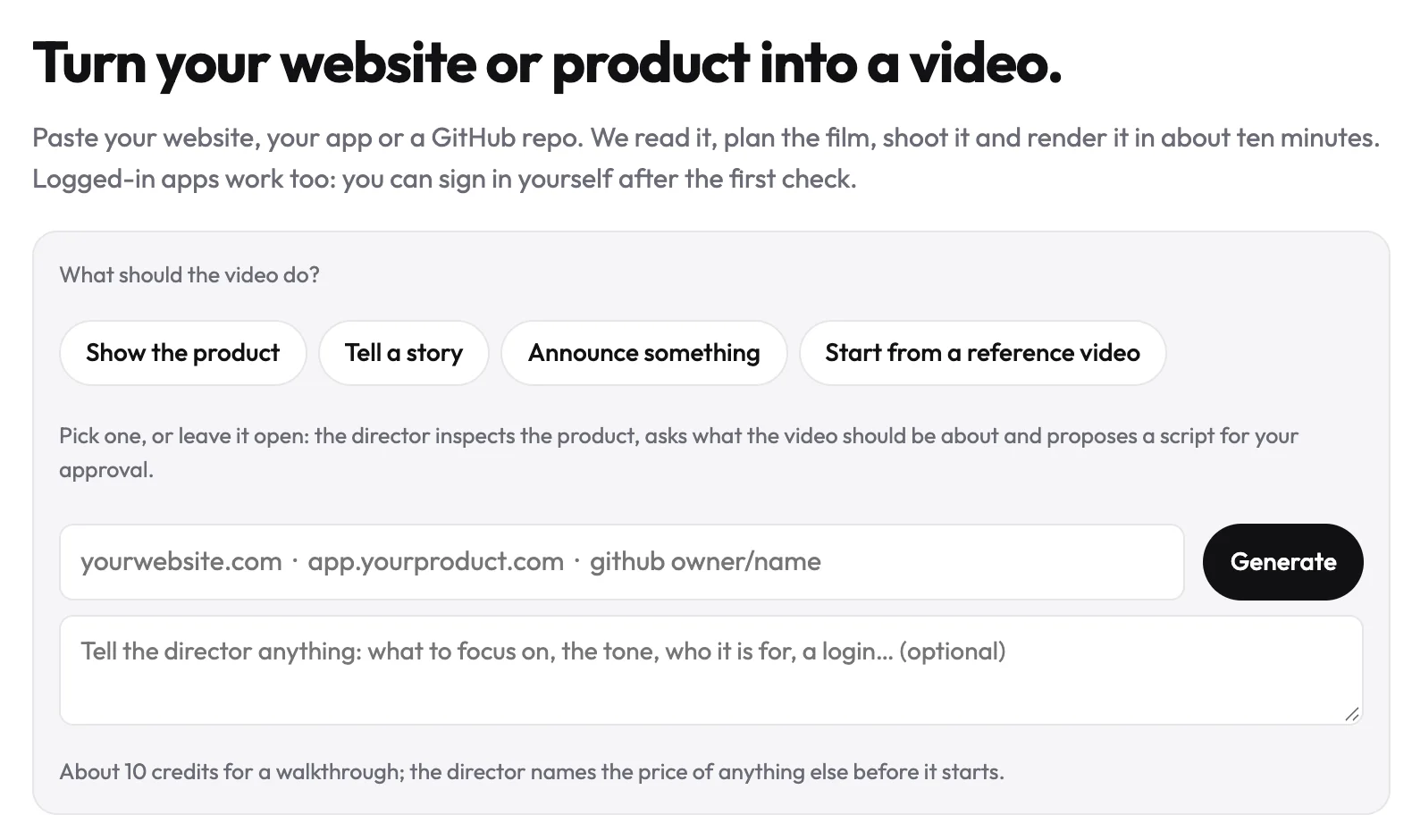
uscale starts from a website, a web app or a GitHub repo (paste owner/name in the same field). It does not start from a folder of screenshots. A phone-only app can get a launch film made from its website, but that film won't show the in-app screens.
The steps
- Paste the address on the Generate page.
- If the screens are behind a sign-in, sign in once in a browser streamed into the page. SSO and two-factor codes work. Use a demo account with sample data, because the film shows whatever that account shows.
- Pick a launch film, or leave it open and let the director propose a form.
- Tell the director which screens open and close the film, for example "start on the calendar and end on the booked meeting."
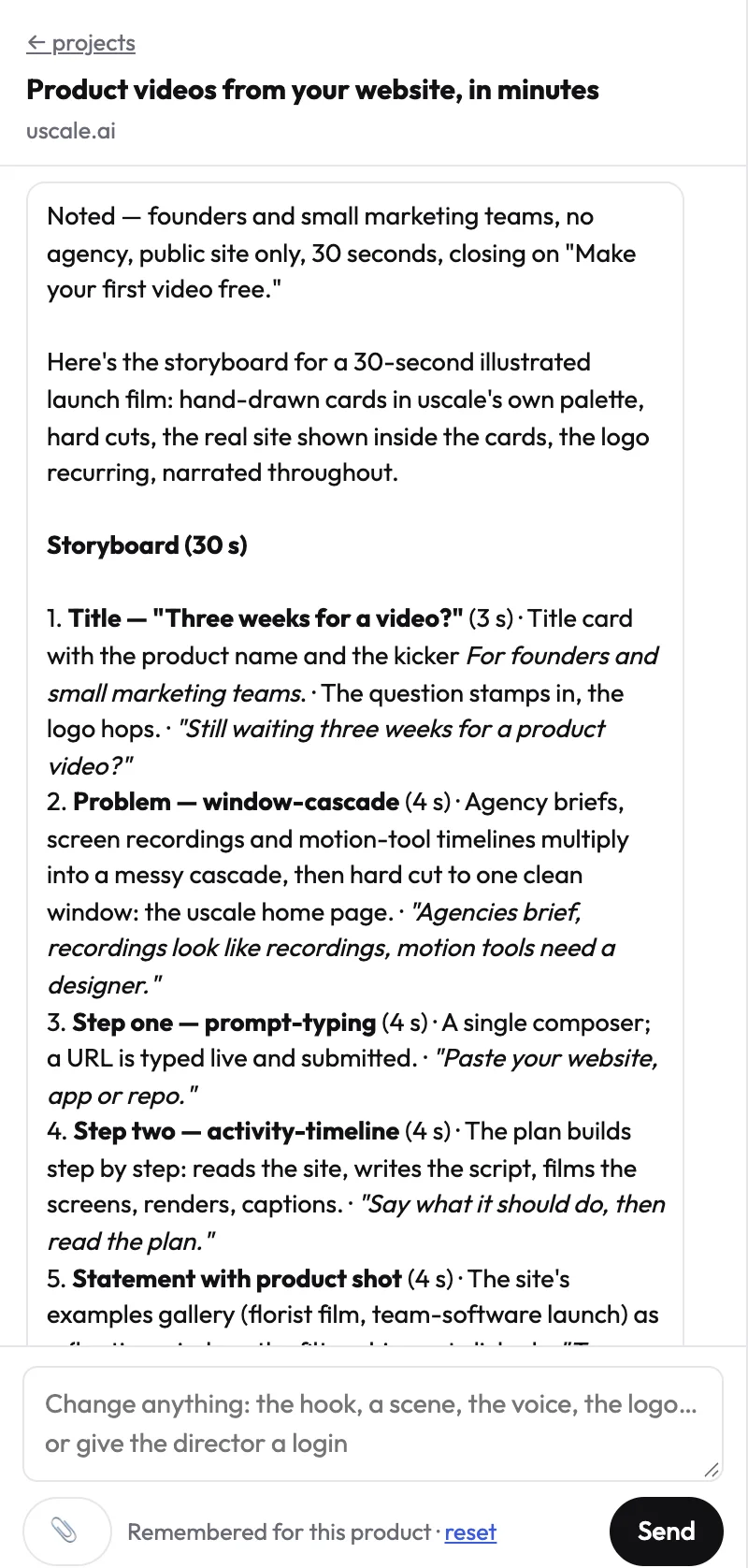
- Approve the storyboard, including every narration line, before anything is filmed.
- Ask for changes in the chat. The chat is free, and it asks before it spends a credit.
The film uses your site's logo, colours and fonts. uscale says the whole job takes minutes. For the full route, see the URL-to-video walkthrough.
You get the live web app on film, with narration and burned-in captions. Check its shape against each feed, and cut a vertical version in your editor where a feed needs one. It won't replace the on-device App Store preview, which the next step covers.
Export the app promo video for each platform's limits
A store preview and a feed promo are two films, not one file in two sizes. Apple asks for footage captured on the device, so a web-app film doesn't fit its rule. Check a mockup animation against that rule too, even though Rotato pitches its mockups for App Store previews. Record the App Store preview on the phone itself, and keep the edited cuts for the feeds.
Check this table before every upload. The pages were read on 15 October 2026, and they change, so reread them rather than trusting an old export preset.
| Platform | Where it goes | What the platform's own page says |
|---|---|---|
| App Store | App Store Connect | Footage captured on device. Up to three previews per language. 15 to 30 seconds, 500MB maximum, and the poster frame defaults to 5 seconds. Portrait or landscape. H.264 or ProRes 422 (HQ only). |
| Google Play | Graphics section of the main store listing | A preview video isn't required but is recommended for games. The listing needs at least two screenshots across device types. |
| YouTube Shorts | YouTube app or YouTube Studio | Square or vertical uploads up to three minutes count as Shorts. |
| TikTok and Reels | Each app's upload page | Not in our sources. Check the current page before posting. |
If you film with uscale, each film that passes its checks comes with post copy ready to paste: a LinkedIn post, an X post, a YouTube title and description, and alt text. The words are ready when the file is.
A correct export still won't save a promo that trips over the usual mistakes, though.
Common mistakes that stall a screenshot promo
- Real customer data on signed-in screens. A screenshot or a film shows whatever the account shows, including names and emails. This matters for store screenshots too, because they sit on a public page. Fix: capture every screen from a demo account with sample data, or tell the director which screens to leave out.
- Screens that no longer match the app. If your interface changes every sprint, this is a fair worry. A promo cut from last month's screenshots shows buttons a new user can't find. That is a reason to plan the re-cut, not to skip the video. Fix: retake any screenshot whose screen in the beat sheet has changed. If you filmed the web app with uscale, film it again. The tour is saved with the project, so a new cut picks up the new screens. Each render is a new version, so the earlier cut stays in the project if you need it.
- Signing in to the filming account with Google or a passkey. Google can refuse a sign-in from a browser it doesn't recognise. A passkey stays on your device, out of reach of the streamed browser. Fix: use a test account with a password, or a code from your phone.
With those avoided, the choice that's left is which route fits your app.
Pick your route by what your app runs on
Your route depends on one question: is there a screen you can open in a browser? Answer it, then put the matching step in your calendar.
Film the web app if there is one. Paste the address into uscale and ask for a launch film. uscale says it turns a web app into a narrated video in minutes. You approve every narration line in the storyboard before anything is filmed. Edit by hand only where a platform's limits need it. You're done when the film sits on your launch page.
Build from screenshots if the app is phone-only. Order the store screenshots along your beat sheet. Animate them in the editor you already have or in a mockup tool. Record the App Store preview on the device, because Apple's previews use footage captured on device. You're done when the promo and the store preview are both exported. The page on videos for consumer mobile apps covers this case.
Split the work if you have both. Film the web app for social feeds, and keep on-device recordings for the stores.
Choose another route for some jobs. Footage you already have is quicker to edit by hand. A founder speaking on camera or a live-action shoot needs a camera and a filming day. A film of the product replaces neither.
What it costs
The director names each price before it starts. On uscale's pricing page, Lite is $29 for 25 credits, about two launch films, paid once with no subscription. The screenshot route costs your hours, plus a mockup tool if you buy one.
If you do only one thing, do it within the hour. Write down which of the three cases fits your app. Then watch two films in uscale's examples to judge the output against your brand.
Success looks like a promo on your launch page that you have checked against each platform's limits, a store preview recorded on device, and one link you can send.
Try it: make an app promo video from your live web app, and approve every narration line before filming.
Your next app promo, in four moves
- Write the beat sheet around one interaction. Open on the tap or swipe that makes the app worth having.
- Choose the route by what the app runs on. Film a web app. Cut screenshots by hand for a phone-only app.
- Caption every beat so the video makes sense in a muted feed.
- Check each platform's limits before you export, not after.
If there's a web app or site to film, start at making an app promo video with uscale. Your first video is free.
Your screenshots already did their job in the store. The promo only needs the app to move.
Make your app promo video from screenshots from your website — it’s free →
Questions
What is an app promo video?
An app promo video is a short video that shows an app's core interaction moving, such as the tap or swipe that makes the app worth having, to persuade viewers to download or try it. For TikTok and Reels it is usually vertical, opens with a hook, shows a few selling points and ends with a call to action. It differs from an App Store preview, which Apple requires to use footage captured on device.
Can I make a promo video from App Store screenshots alone?
Yes. App Store screenshots can be ordered along a beat sheet, placed in device mockups, animated with pans and zooms, captioned and exported for each feed. The limit is that a screenshot shows one still state, never the tap that got the user there, so the captions have to carry the hook. If the app also runs in a browser, filming the live web app shows the interaction itself.
How long should an app promo video be?
It depends on where the app promo video goes. An App Store preview must run 15 to 30 seconds, according to App Store Connect. YouTube counts square or vertical uploads up to three minutes as Shorts. For TikTok, the playbook for small businesses calls the first 3 to 6 seconds critical, so length matters less than opening on the core interaction. Check each platform's current page before exporting.
Can uscale film my app if it only runs on iPhone or Android?
uscale can't film the screens inside a phone-only app. uscale films a website, a web app or a GitHub repository, not a phone app or a folder of screenshots. A phone-only app can get a launch film made from its website, but that film won't show the in-app screens. For those, animate the store screenshots by hand and record the App Store preview on the device, as Apple requires footage captured on device.
What does an app promo video cost with uscale?
On uscale's pricing page, Lite is $29 for 25 credits, about two launch films, paid once with no subscription. The director names each price before it starts. The first video is free, and a free account starts with 10 credits, or 20 with a work email. The director chat costs nothing.

The team behind uscale, which turns a website, web app or GitHub repo into a narrated product video.