A live app, from URL to video
A dark dashboard fills the frame. It is a live GPU marketplace app, its listing cards set out in a grid and held at a slight 3D angle while the camera dollies slowly in.
Nobody recorded a screen to make it, and nobody dragged clips along an editing timeline. It went from URL to video with the product's web address, pasted into a field, and a handful of decisions the film never shows.
Those decisions are what this guide is about. Each step below goes from the link to a film like this one and shows the screen you look at along the way, so you can run the same route on your own website. The first happens before anything is filmed.
How do you paste a URL and start the video?
You paste your website, app or GitHub repo address into the Generate page and choose what the video should do, or leave it open to the director.
The first step is one field and one choice. On the Generate page, paste the address of your website or web app into the address field. A GitHub repo goes in the same way, as owner/name, once GitHub is connected read-only.
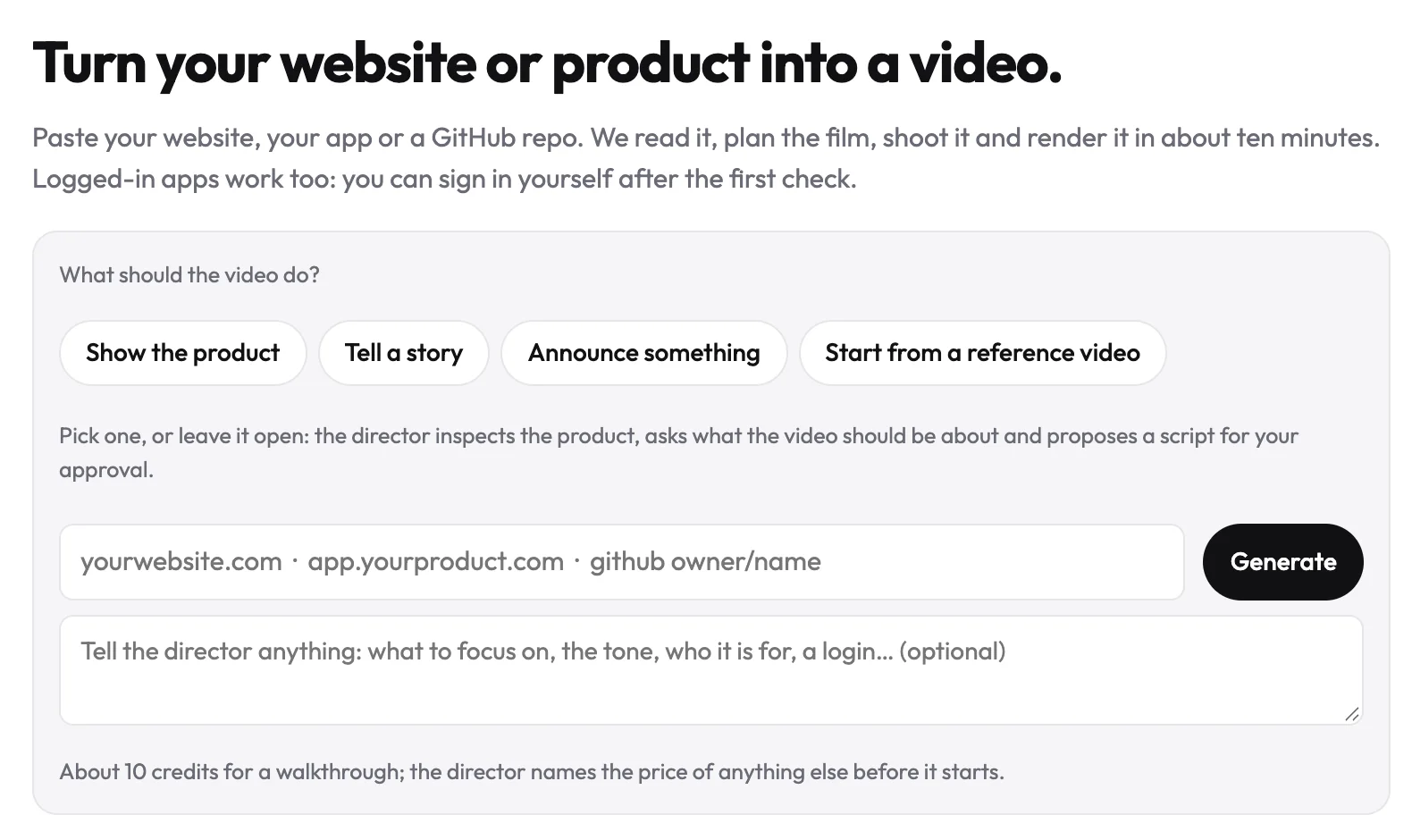
Then decide what the film is for. Pick what the video should do, or leave it open. Either way, you work with the director: the chat that plans the film and changes it when you ask. If you leave the purpose open, the director reads your product, asks what the film is for and proposes a form. To compare looks first, ask it for three stylistic concepts.
Decide the purpose before the style. Once the film knows its job, every later choice becomes a short yes or no.
What you can skip
You don't need a brand kit. Your logo, colours and fonts come from the live site, and a custom font becomes the closest Google Fonts match. You don't need to pick a language either, because the film speaks your site's language by default.
This step is done when the address is in and the purpose is picked or left to the director. If your app sits behind a sign-in, the next step gets those screens filmed.
How do you film an app that's behind a sign-in?
You sign in yourself in a browser streamed into the page, using Log in here, and only the signed-in session is saved when you press Done.
Turning a public website into video? Skip this step. For screens behind a sign-in, choose Log in here and sign in yourself, in a browser streamed into the page. SSO, two-factor codes and captchas work as they do on your laptop. You type the password into your own sign-in page. Only the signed-in session is saved, and only when you press Done.
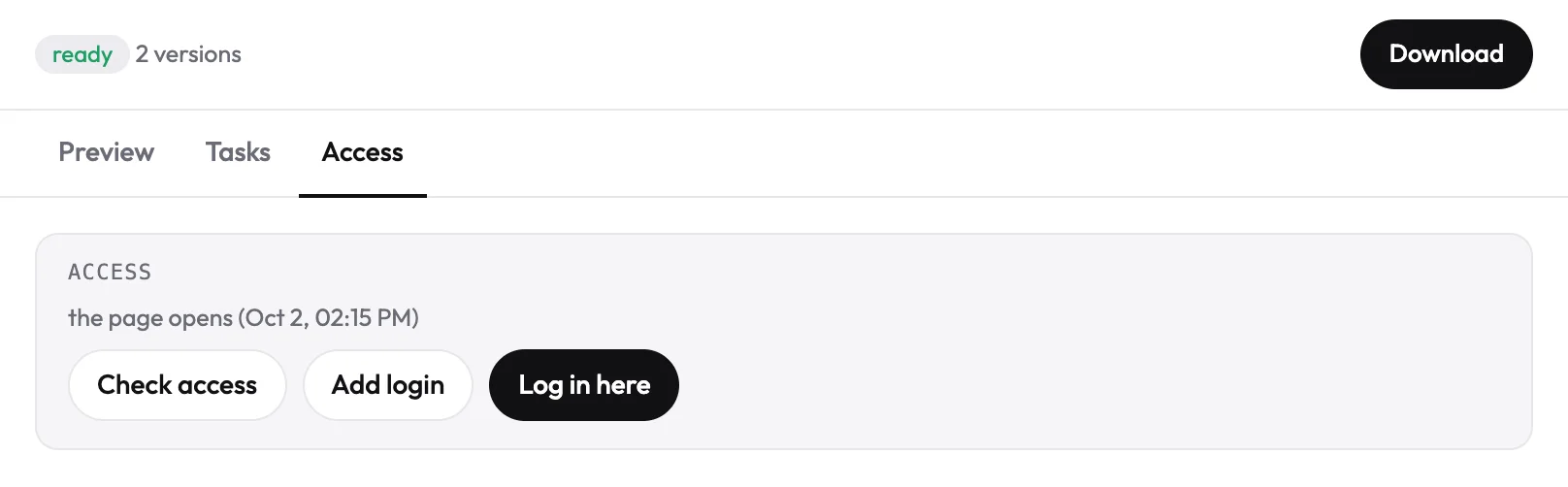
Two snags have fixes. If Google refuses "Sign in with Google" from a browser it doesn't recognise, use a test account with a password and Add login instead. Passkeys and Touch ID can't be reached from the streamed browser, so choose "Try another way" on the sign-in page.
The film shows whatever the signed-in account shows. Say you're filming a B2B analytics dashboard (a made-up case). Sign in to a demo workspace filled with sample accounts, never a real customer's. What you sign into is what your viewers see. You're done when the demo workspace is on screen and you've pressed Done. Next comes the script.
Why approve the storyboard before anything is filmed?
Nothing is filmed until you approve the words. After the director has read your product, you see its storyboard: the film scene by scene, with every narration line written out in full.
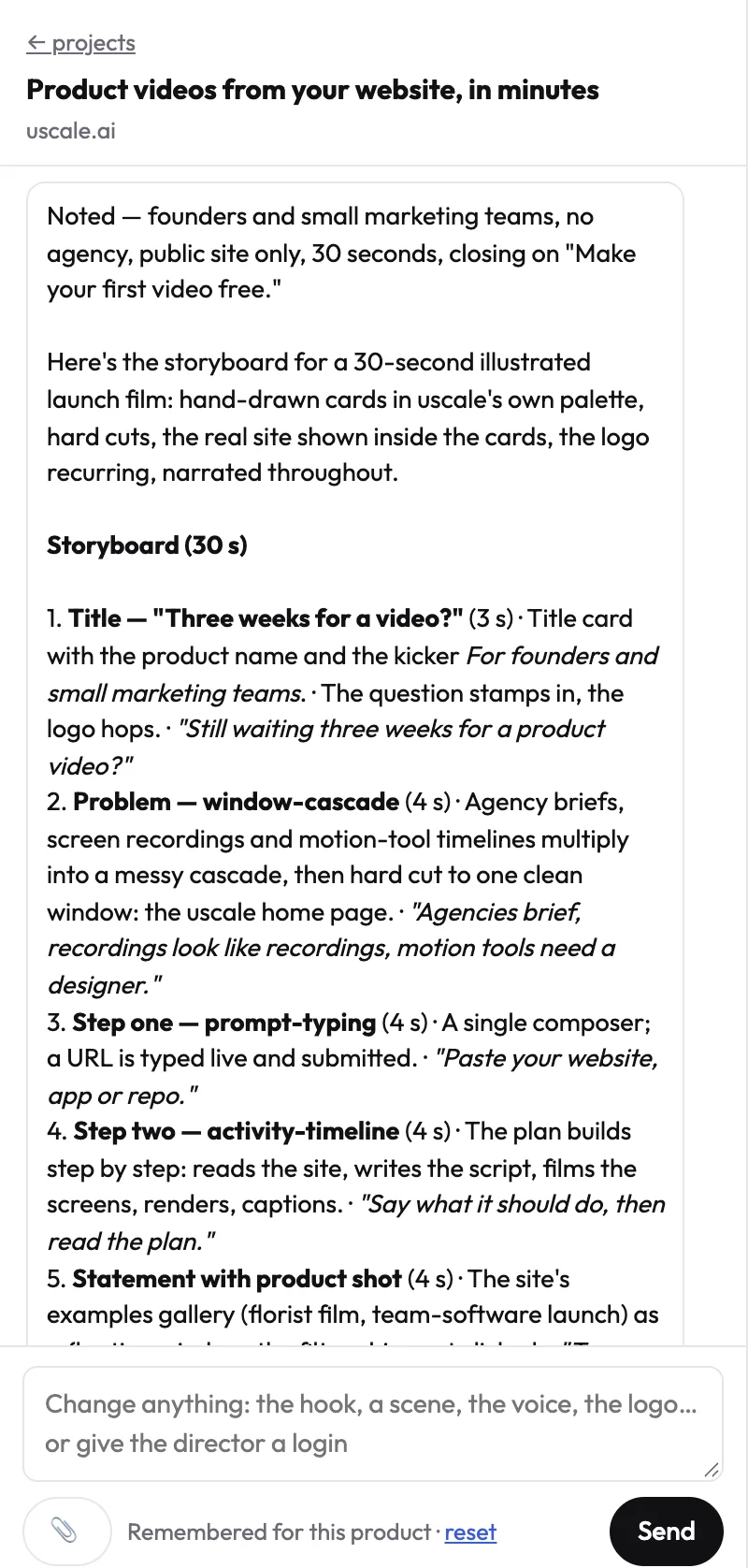
Read each line aloud, as the viewer will hear it. A sentence that looks fine on screen can run long in the ear, and the storyboard is where you catch it. A wrong line costs nothing to fix on the storyboard. Once it is filmed, fixing it means a new render.
Choose the screens and the words
If the order of screens matters, say so in the chat in plain terms, for example "start on the dashboard and end on the export." If you already have a script, paste it, and the director fits the scenes to your lines. You can also name the lines to keep word for word and leave the rest open.
What this stage costs
Chatting costs nothing. Having your site, documents or repo read also costs nothing. You can rework the storyboard until it reads right without paying for it.
You are done when you have an approved storyboard and would be happy to hear every line in the finished film. After filming, you still ask for changes in the same chat, one named moment at a time.
How do you ask the director for changes?
Name the moment you want changed and add "keep everything else", and only that moment changes. A vague note like "make it punchier" leaves the director guessing. A precise request gives it nothing to guess.
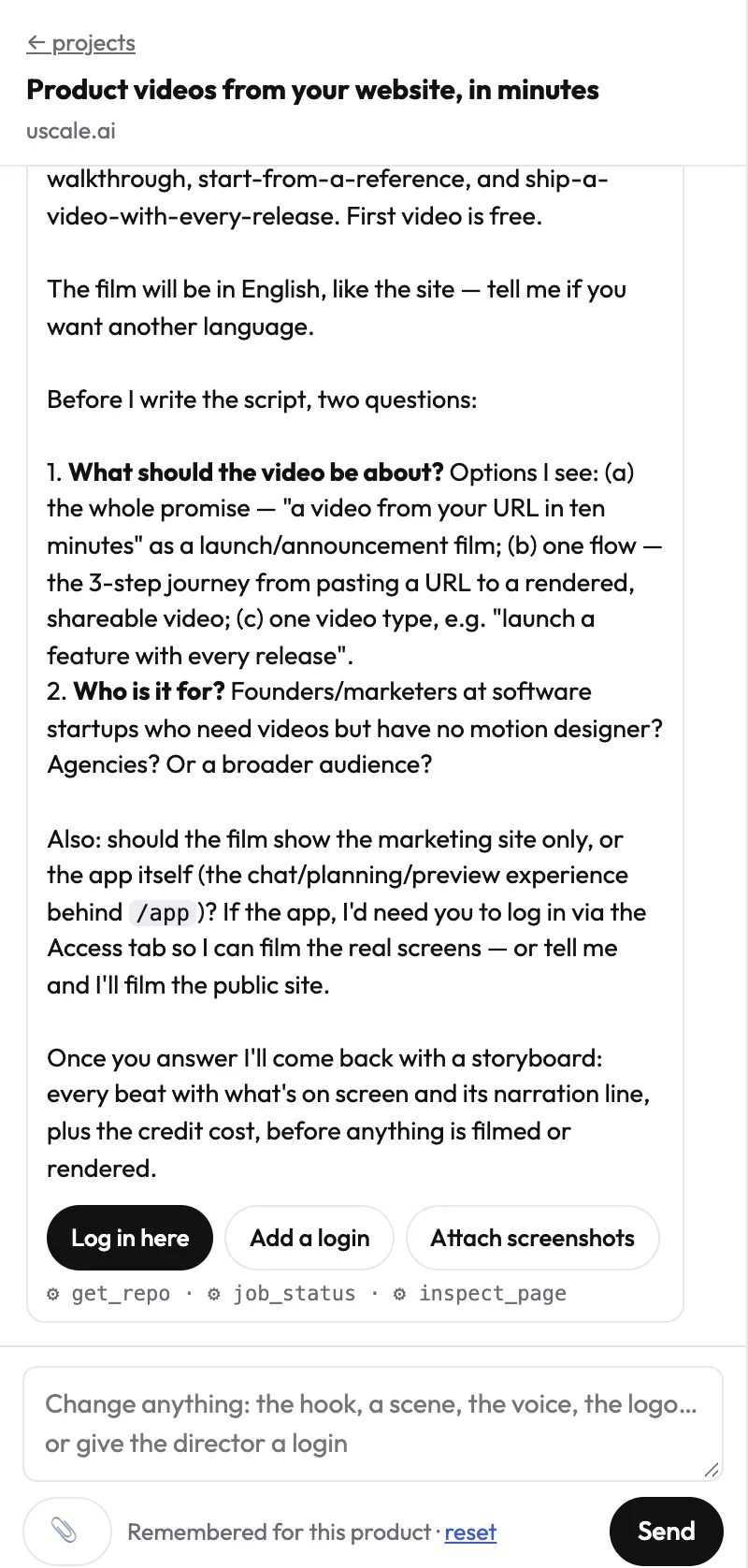
Say you're refining a SaaS launch film. Two requests that work:
- "Scene three, shorter. Keep everything else."
- "The voice pauses too long between lines in the opening. Tighter pacing, keep everything else." The scenes then follow the voice more closely.
You can also change the words, the voice, the pace and how names are pronounced. You pick the voice from samples read in your own words.
Bigger changes
Ask for another style, and the earlier cut stays in the version list. Ask for a second language as a new version. The narration, captions and words on screen are written for that language rather than translated from the first script, so both versions sit side by side in the project.
What you can't change today
Your own voice isn't available. Films are voiced with uscale's voices. Captions are burned into every film and can't be turned off, because most feeds start video muted.
You're done when the director has answered your request and nothing else has moved. Once the cut is right, the film goes to Preview.
What happens in Preview before you download the film?
uscale checks for blank scenes, text running off frame, captions over text, voice overruns, wrong-industry words and unsourced numbers before the film reaches Preview.
The film reaches Preview already checked. Before it lands, uscale looks for blank or empty scenes, text that runs off the frame, captions over text, a voice that overruns its scene, words from the wrong industry and numbers it can't source.
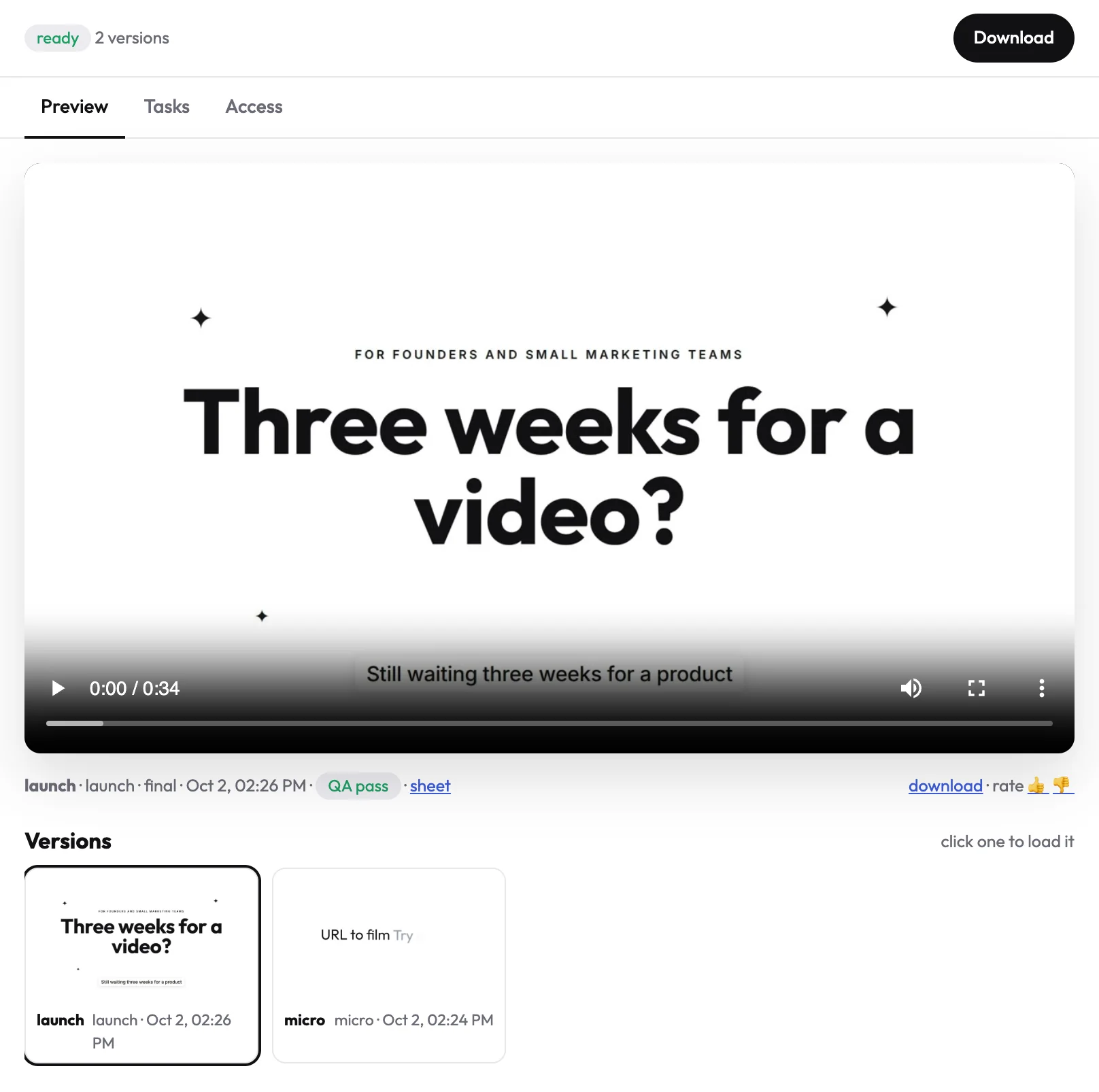
If something trips a check, a warning tells you what a viewer might notice. You can still download the film. A warning is information, not a lock: decide whether a viewer scrolling past would see the problem.
Every render is a new version, never an overwrite. Preview shows the newest 40. To get an older one, load it from the strip and press Download.
Every film that passes its checks comes with a post pack at no extra cost: a LinkedIn post, an X post, a YouTube title and description, and alt text. It is all plain text, so edit it before you post.
A render that ran but failed a check is still charged, and the fix is a new version.
Done looks like a downloaded film plus its post copy. From the same website, the next film can take a very different form.
From one website to two videos: one GPU marketplace, two ways
The address that gave the opening walkthrough can also give a different kind of film. This is the GPU marketplace again, the same live app, cut as a cinematic.
| Beat | On screen |
|---|---|
| 1 | A dark server corridor, cyan-lit racks, a slow forward push |
| 2 | A bold italic headline slamming in |
| 3 | The product on a charcoal background, numbered section labels, headlines such as "Every GPU market, one board", a cursor clicking the region filter |
The walkthrough opened on the dashboard itself, held in slight 3D as the camera moved in. This cut sets a mood first and reaches the product in the third beat. Neither form is better in general: choose by where the film will play, not by which one looks bigger.
Launch films, story films, photographic films, walkthroughs and cinematic cuts all come from the same website and the same chat. They don't cost the same. Cinematic cuts with AI film clips cost more, and every price is shown before you press anything. The other forms are on the example films page, including AlpacaRelay and Ode à la Rose. Whichever form you pick, the slips that cost a re-render are the same, and they come next.
What tool can a solo developer use to make a cinematic launch video?
A solo developer can get a cinematic launch video from uscale by pasting the product's live address. uscale films the real site or app and cuts it into a launch film or a cinematic cut, with no local AI video setup to install or maintain.
The product shots are your actual screens, filmed sharp and never cropped. The film uses the logo, colours and fonts read from your site. If launch day comes before the site is live, connect GitHub read-only and the director plans a film of the project from its README, files and package. When you ship a change next week, film it again, and the new cut picks up the new screens.
| Film | What the credits pay for | Credits |
|---|---|---|
| Launch film | Filming 4, the launch plan 4, render 2 | 10 |
| Cinematic cut | Filming 4, direction and copy 4, a render with AI film shots 15 | 23 |
See pricing for the full list, and product launch videos for more on the launch form.
Another route fits some launches better. If you need a lot of video each month from scripts, Pictory's pricing page lists a "Generate video from script or URL" feature with 200 video minutes per month on its Starter plan, at $25 per month billed annually. If you want control over every generated frame and enjoy tuning models, a local pipeline still gives you that. The cost is the setup time you were trying to avoid.
Where can a URL-to-video run go wrong, and when should you film it yourself?
Most slips that cost a re-render happen before anything is filmed. Five to avoid, each with its fix:
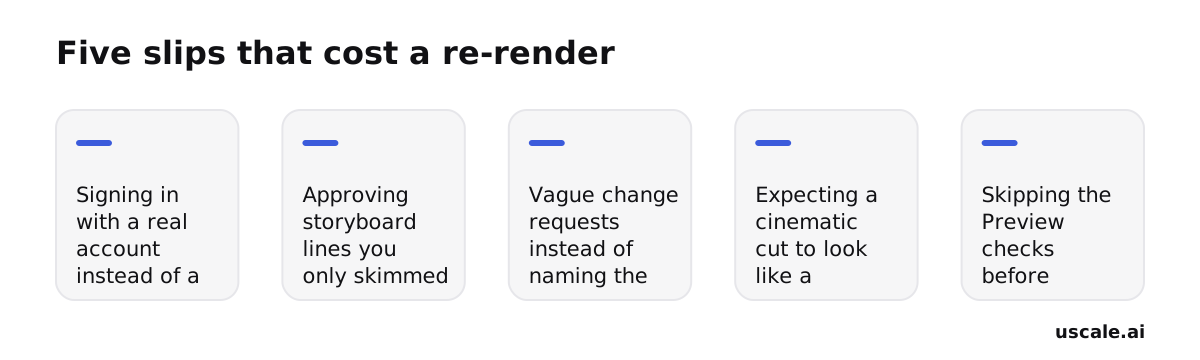
- Signing in with a real account. The film shows whatever that account shows, so use a demo account with sample data, as in step 2.
- Approving lines you only skimmed. Read each one aloud first. A wrong line is free to fix on the storyboard and costs a new render once it is filmed.
- Vague change requests. Name the moment and add "keep everything else", so nothing else moves.
- Expecting your own voice, or captions turned off. Neither is available today. Films use uscale's voices, and captions are burned into every film.
- Expecting Chinese, Japanese, Korean or Arabic. Those scripts aren't supported yet, so a site written in one of them gets an English film.
Some films should not start from a URL. If you need a live-action shoot, a founder really talking to camera, or footage you already have cut into shape, film or edit it yourself. A URL is the better start when the film is about the product's own screens, and you already have that address.
So if your first film was about your screens, the route holds. Which film comes after it depends on what your buyers keep asking for.
What should you make next, and how do you budget for it?
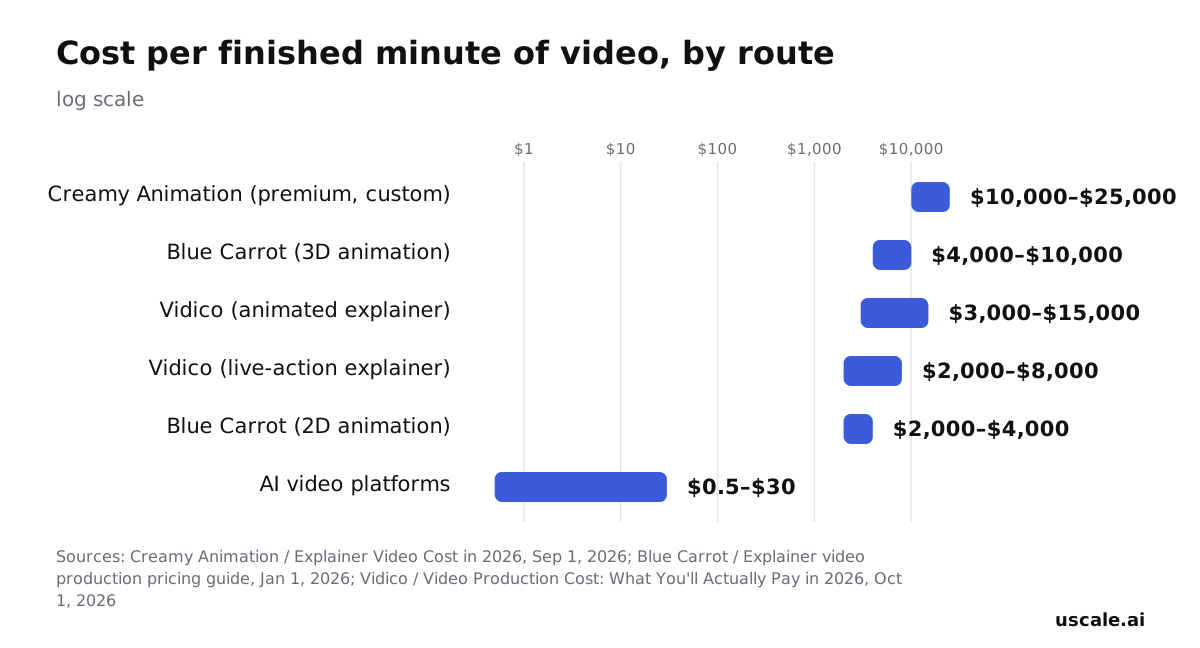
Your next film starts from the same web address. If you do only one thing, open a free doc and write the three lines that film must say. That fits in the hour and gives the director a clear brief.
Pick the goal your buyers ask for most. If sales keeps sending a screen recording, that's your demo. Other kinds of software are covered under videos for software products.
| Goal | Film form | Where to read more |
|---|---|---|
| Launch | Launch film | product launch videos |
| Demo | Product walkthrough | product demo videos |
| Onboarding | Walkthrough of the signed-in screens | onboarding videos |
| A developer tool | A film planned from the repo | videos for developer tools |
Choose the cut for where it will play. In Wyzowl's 2026 data, as reported by Shopify, 71% of respondents said videos between 30 seconds and two minutes are the most effective length. LinkedIn recommends 15–30 seconds so a video ad qualifies for every placement. Before posting, check the downloaded file against the platform's spec.
Put the demo where people decide. Wyzowl's 2026 data, as reported by Rocketium, says 80% of people have downloaded or bought an app after watching a demo video. This step is done when the film is on your sign-up page.
There is no subscription and there are no seats. The full list is on the pricing page.
Try it: turn your website into a product demo video: paste your address, approve every narration line, and download a checked, captioned film.
Your address is the next one
The GPU marketplace walkthrough, with its dark dashboard and slow dolly in, began as an address pasted into a field. No one recorded a screen or opened a timeline. Your site can take the same route: paste the URL, sign in if the app needs it, approve the storyboard, ask for changes, and download the film from Preview.
Turn your website into a product video and read its storyboard today.
The film starts where your product already lives: at its address.
Questions
What is URL to video?
URL to video is a way to make a product video from a web address: you paste the link to your site or app, and the film is made from its real screens.
Do I have to record my screen to turn a website into a video?
No. There is no screen recording and no editing timeline on your side. If you need live-action footage or a founder really talking to camera, film that yourself.
Can it film an app behind a login?
Yes. A uscale film can show the screens behind a sign-in. You choose Log in here and sign in yourself, once, in a browser streamed into the page, so SSO, two-factor codes and captchas work as usual. You type your password into your own sign-in page, and only the signed-in session is saved. The film shows whatever that account shows, so use a demo account with sample data.
Can I change the script after the storyboard is made?
Yes. The uscale storyboard can be reworked in the director chat until every narration line reads right, and chatting costs nothing. You can paste your own script or name lines to keep word for word.
What does it cost to turn a URL into a video?
There is no subscription, and cinematic cuts with AI film clips cost more.