Good enough to publish?
An ai demo video generator gets judged on one question: is the take an agent records, by clicking through your product and re-recording it after every interface change, good enough to publish? A developer-tool founder asks because the interface changes every sprint. A consumer-app marketer asks because the demo is the first thing a homepage visitor sees. Each usually gets a flat yes or a flat no.
Both answers treat the demo as one job. It is several. An agent does some of them more reliably than a person with a screen recorder, and some of them not at all.
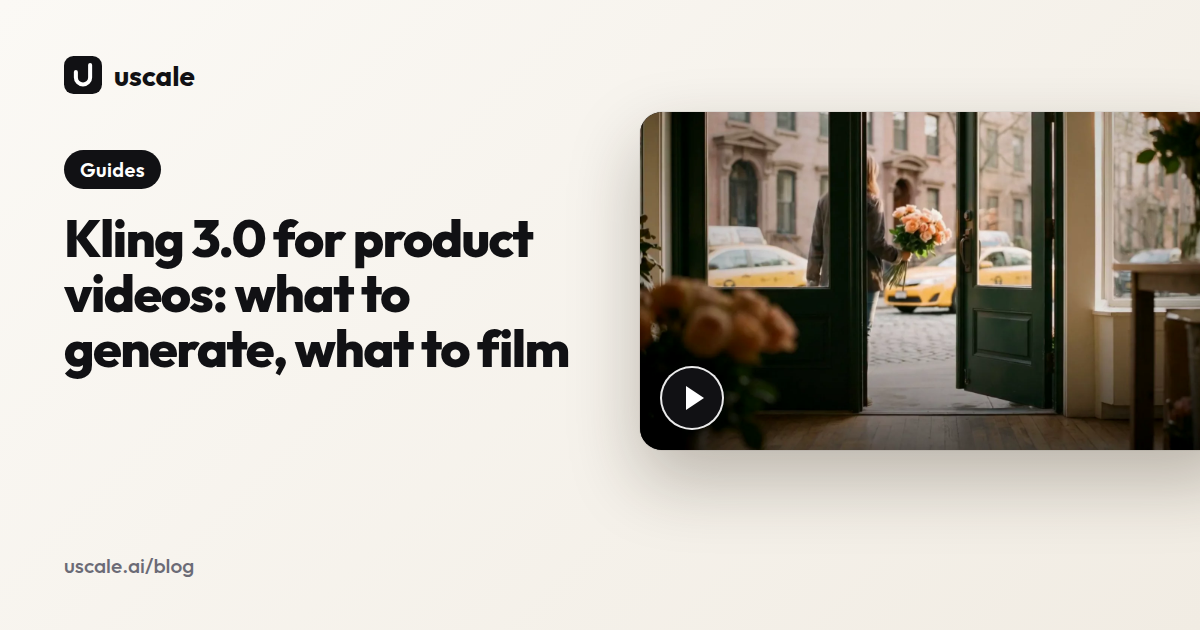
That film came from a real product's screens, not a screen recording. You can judge the clicking and framing by watching. The harder part is what the render doesn't show: which calls a machine should never make alone, and how you catch them before a buyer does.
So take the demo apart, starting with the jobs you can hand over.
What does an AI demo video generator actually do well?
An agent is good at the repeatable part of a demo. It films the same flow the same way every time, and it films it again when the interface changes, with no new session to book. A person recording by hand drifts: cursor speed, window size, a stray notification. An agent runs the same steps, so the fifth take matches the first. The first recording of a demo is rarely the expensive one; the re-record after every release is.
Here is what the public tools say about themselves on their own pages and READMEs (2026). Beside each is a made-up case so you can picture the output:
| Job you can hand over | What the tool says it does | What that looks like (hypothetical) |
|---|---|---|
| Sign in once, reuse it | agent-demo-video, Ultrademo: log in once in a real browser, then record headlessly from the saved session. | You sign in on Monday. Friday's re-run opens on your dashboard without asking again. |
| Re-find flows after a redesign | AgentCast: finds flows itself. Cached flows and self-healing locators regenerate the video after a UI change. | Export moves from the toolbar into a menu. The new cut still clicks Export. |
| Draft the script first | Ultrademo: drafts the script for sign-off before recording. Unchanged narration is cached, so a visual refresh costs nothing extra. | You approve "Pick a template and your report is ready" before any screen is filmed. |
| No live site needed | RepoClip: turns a GitHub repository link into a narrated video in minutes. | A CLI tool with only a README gets a first cut of its install and first command. |
That is your safe list:
- the clicking
- logged-in capture once you have signed in yourself
- the first script draft
- the re-shoot after a release
- a first cut for developer tools that only have a repo
None of these tools claims to decide which flow a buyer should see. That is where the agent stops and you start.
Where does an AI demo video generator still need a human?
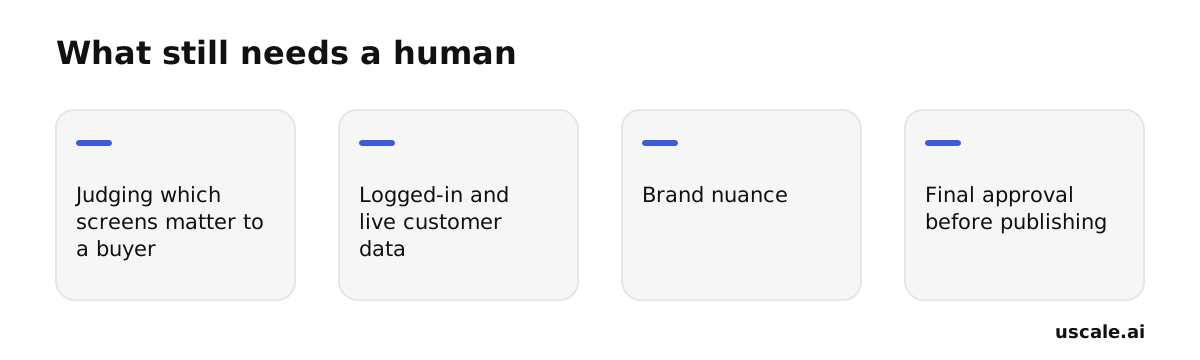
Judgment. An agent can click through every screen in your product, but it can't tell which three of them make a buyer lean in. The common worry is a bad recording. The real risk is a good recording of the wrong thing. Four calls stay with you.
Which screens matter to a buyer. An agent records what exists, not what sells. Left alone, it can film the settings page with the same care as the moment your product saves someone an afternoon. You decide the order: the result first, the menus later. A viewer decides in the first beat whether the film is for them.
Logged-in and live customer data. A recording shows whatever the signed-in account shows. If that's a real workspace, real customer names end up in a public film. Point the agent at a seeded demo account, or name the screens to skip.
Brand nuance. A clean take can still sound wrong. It might call a feature by its internal name, use a tone too stiff for your audience, or make a claim your sales team would never make. Only someone who knows how you talk to buyers will hear it.
Final approval. Nobody but you should press publish.
One tool shows plainly that review is optional by design. AgentCast's own documentation describes human review of the flows, the script and a revisable preview, and an "Autopilot" mode that skips all three. That is a fair feature for a quick internal draft. It also means the checkpoint exists only if the person making the video insists on it. Read every narration line before filming, the way you'd check a product demo script written by a new hire.
Once those four calls are made, what's left is checking the render itself.
What should you check before publishing an AI-made demo video?
Watch the whole render, start to finish, at the size it will actually play. An agent's mistakes rarely show in a thumbnail or the opening seconds. They show in the middle: a screen that loaded empty, a caption sitting on a price. These five checks work on any AI-made demo, from any tool.
| Check | What to look for | Why it matters |
|---|---|---|
| No blank or cut-off screens | A scene that loads empty, a modal half off the frame, a spinner where the result should be | An empty screen tells a buyer the product doesn't work |
| Captions clear of on-screen text | A caption bar covering a button label, a chart value or a field name | The viewer can't read the thing the narration points at |
| Voice fits its scene | A line still being spoken after its screen has moved on | Sound and picture drift apart, and the demo feels off without anyone saying why |
| Every claim is true | Each number, feature and integration named in the narration exists in the product today | Nobody else can check this for you |
| Export meets the platform | For YouTube, at least 1920x1080, which its help docs list as Full HD. YouTube supports up to 7680x4320 (8K) | A soft render makes a sharp product look careless |
The fourth row matters most. An agent can only check a claim against what it was given, meaning your site, your repo and your notes. It can't know that a feature was cut last sprint or that a pricing tier was renamed. Some tools, uscale among them, measure a render for blank scenes, captions over text and an overrunning voice before you see it. A passed check is a reason to watch closely, not a reason to skip watching.
Watch at full screen, with sound on, once with captions in mind and once as a buyer would. If you wrote the script for the demo, keep it beside you and tick off each line as it plays. That turns the review into one pass through the whole film.
Those checks work with any tool. Here is where they sit in uscale, and the example films show what the finished result looks like.
How does uscale handle recording and re-recording a demo?
uscale reads your product, proposes the film as a storyboard, and waits for your approval before it films anything. The route is the same whether you start from a live site or a repository.
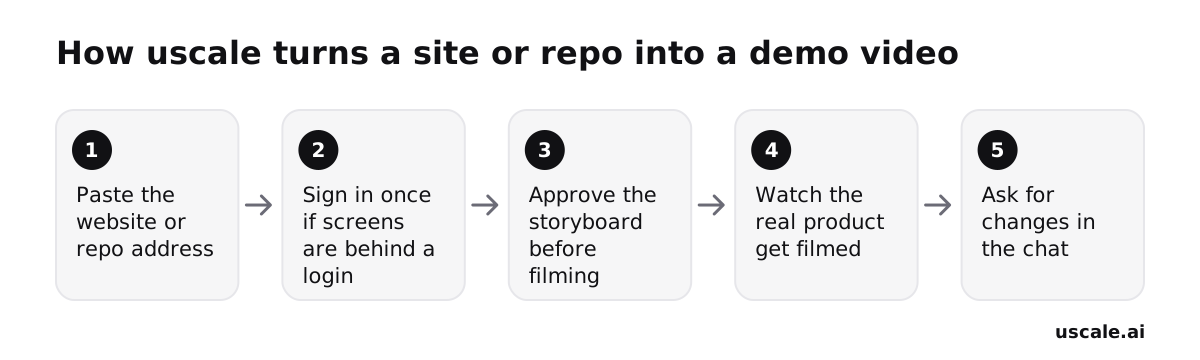
Start from an address
Paste your website's address, or a GitHub repository as owner/name, in the same field. For a repo, you connect GitHub read-only. The director then reads the README, files and package and plans a film, even if there is no live site yet. This is useful for developer tools.
Sign in once, yourself
If the screens you need are behind a login, you sign in yourself in a browser streamed into the page. SSO, two-factor codes and captchas work the way they do on your laptop, and you type your password into your own sign-in page, not into uscale. The film shows whatever that account shows. This is the place to use a demo account with sample data.
Approve the words before the pictures
The storyboard shows every narration line. You can edit any line, paste your own script, or tell the director which screen to start on and which to end on. Most teams get this step backwards. They wait to judge the finished video, but the script decides which screens get filmed. Judge the words before the pictures. A fix here costs nothing, because the chat is free and asks before it spends a credit.
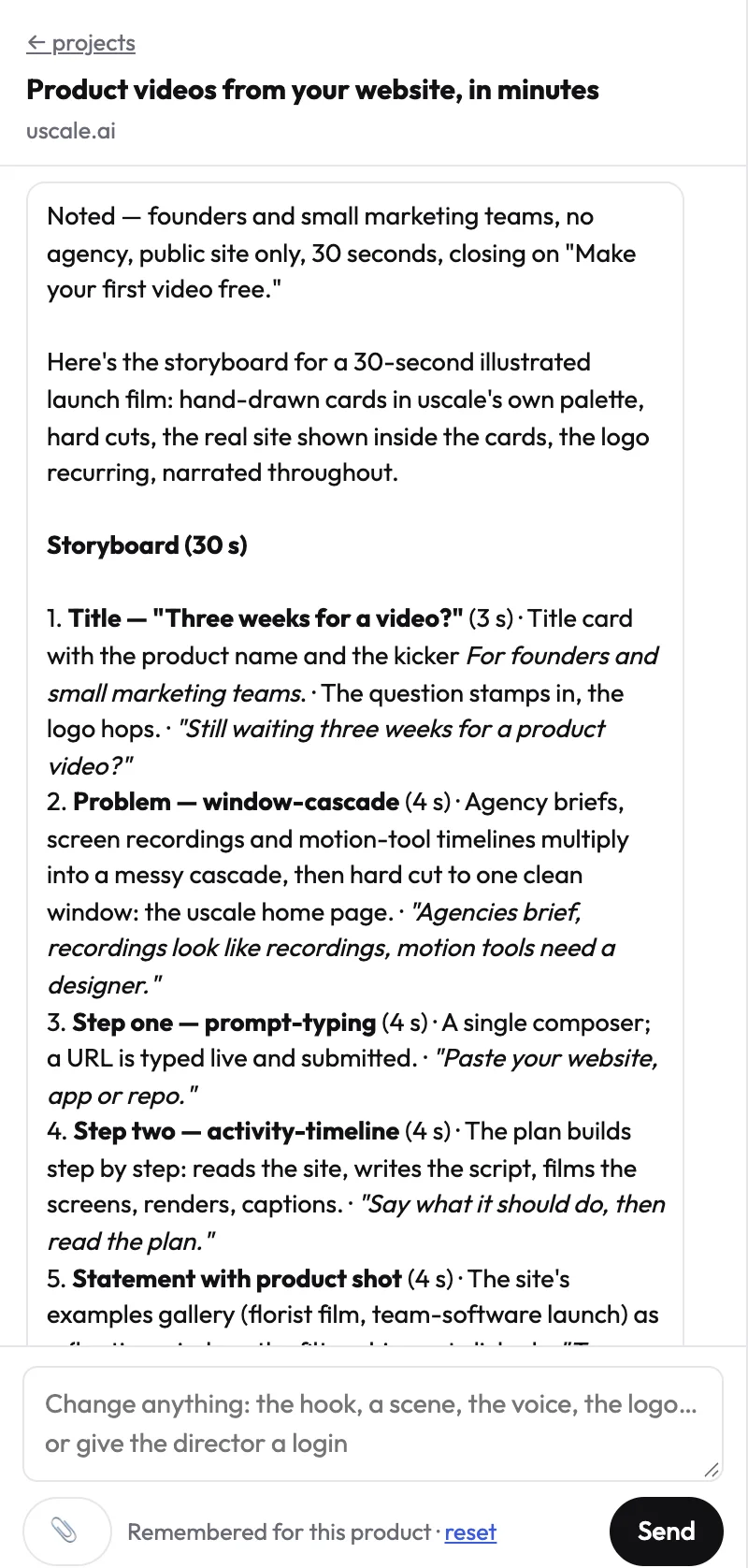
Watch it film, then ask for changes
uscale opens the real product and films it screen by screen, sharp and never cropped. If you want a different line or another cut, ask in the chat. Every render is saved as a new version, so earlier cuts stay in the list. The tour is saved with the project, so the same tour can be filmed again whenever you need a new cut.
Knowing where these approval points sit makes it easier to spot the mistakes teams make when they skip them.
What mistakes do teams make with an AI-recorded demo?
The objection is fair. The whole appeal of an agent is that you don't have to sit and watch it work, so any step you still do by hand can feel like a step the tool failed to take. But the agent has already taken the hours: the clicking, the framing, the re-shoot. What it can't take is a few minutes of judgment. Two common mistakes come from handing those minutes over as well.
Leaving autopilot on to skip the script review
Skipping the flow, script and preview checks is faster, and the draft is often close. But the script is where the film says what your product does, to buyers who will take it at its word. Tools built around sign-off, such as Ultrademo, put the script in front of you before anything is recorded for that reason. Reading every line takes minutes. A wrong claim in a published demo stays up until someone notices it.
Recording a live account instead of a demo one
The real account has realistic data, and setting up a demo workspace feels like a detour. But an agent films whatever the signed-in account shows, customer names and emails included. Once that is in a published film, it is out of your hands. Seed an onboarding-style demo account once, and every later re-shoot is safe by default.
Neither fix gives back the hours the agent saved. Each costs a few minutes, set against a mistake that stays public until you catch it. So where should your first one start?
How to use an AI demo video generator for your own product
Start with the route that matches what you already have, not the whole workflow at once. A live site, a public repo and an app behind a login each lead to a different first video. Each has one check that matters more than the rest.
If you have a live site: a launch video
Paste your homepage address and edit the storyboard. uscale reads the site and proposes every narration line before anything is filmed. The free route is a script in a doc and the screen recorder you already have. The check that matters most is which screens sell. An agent films what exists, so name the path, for example "start on the dashboard, end on the export". You're done when the storyboard shows the screens buyers ask about. More on planning a launch video.
If you have a public repo: a developer-tool demo
Connect GitHub read-only and give the director your repo. It reads the README, files and package and plans a film, even before there is a live site. The check: every claim should trace back to something you've shipped, so read each line against the README. You're done when the README opens with a demo. See videos for developer tools.
If your screens sit behind a login: an onboarding video
Seed a demo account, then sign in once. The film shows whatever the signed-in account shows, so sample data keeps real customers out. You sign in yourself in a streamed browser, where SSO, two-factor codes and captchas work. The check: watch the full render at the size it will run, looking for any real name or figure. You're done when a new user can follow it. More on onboarding videos.
A quick win, and the one thing to do
Within the hour, list the three screens your buyers ask about most. That list is the brief for any of the three routes. If you do only one thing, make one video on one route and watch every second of it before it goes anywhere.
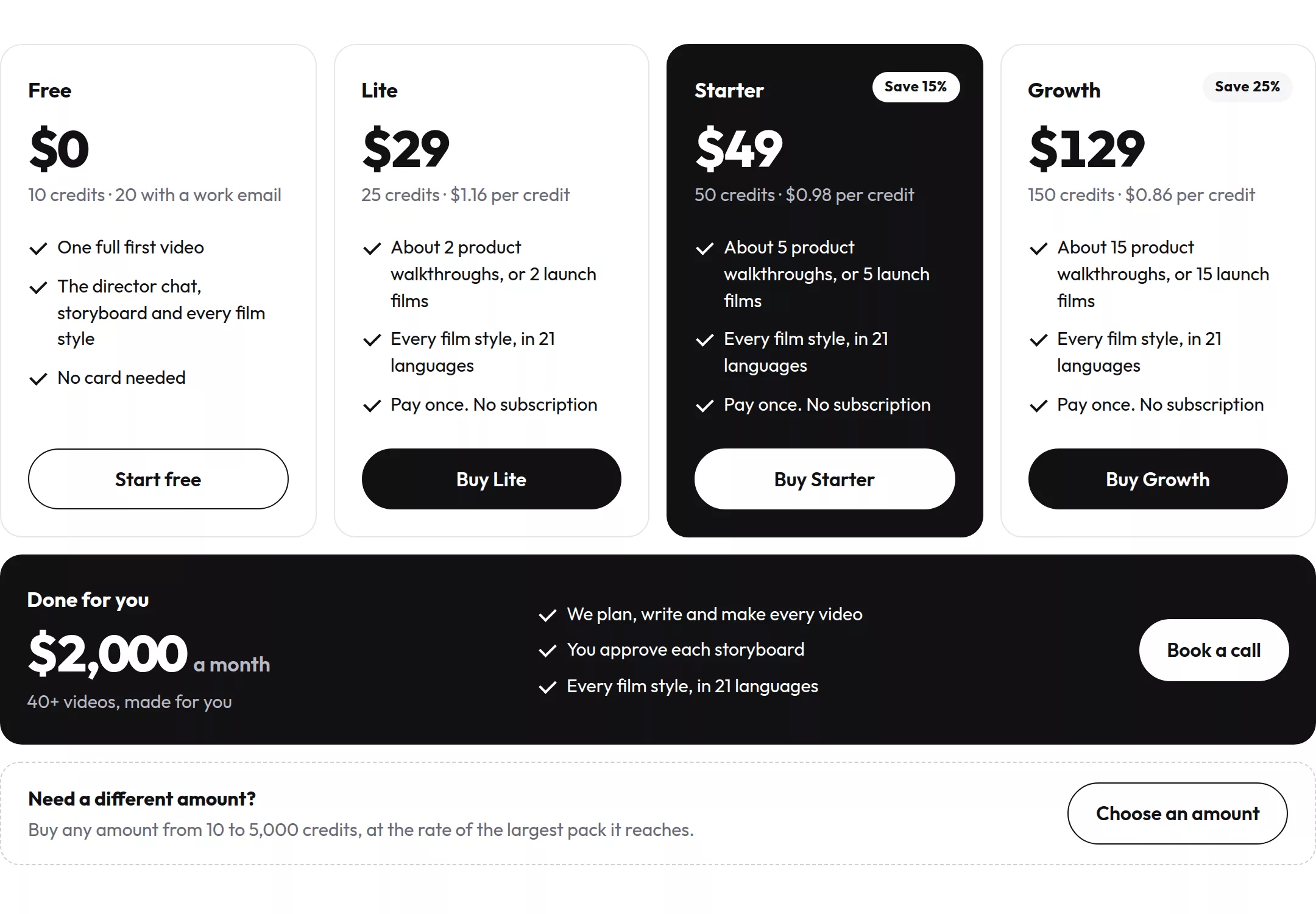
Success looks like a video on the launch page, a README that opens with a demo, or one link sales can send. Before you pick a route, check what the filming and rendering steps cost.
Try it: make a product demo video from your live site or repo, starting with your three screens.
Let the agent do the takes
The question was never whether an AI agent can click through your product and record a demo good enough to publish. It can. The real question is who does which part. It's a division of labor. The agent handles the clicking, the clean framing and the re-shoot when the interface moves. You keep the judgment: what a buyer needs to see, which account gets filmed, and whether every line is true.
An agent can make your demo clean and repeatable, but only you can decide what it should show and say yes before it ships. The checklist above is what that yes looks like.
The way to find where that line sits for your product is to try it. Your first video is free, and after that you buy credit packs once, with no subscription. You get a narrated product demo video of your real product, and every narration line comes to you for approval before anything is filmed.
The agent can always film another take. The final yes stays with you.
Make your ai demo video generator from your website — it’s free →
Questions
What is an AI demo video generator?
An AI demo video generator is software in which an agent opens your product, clicks through its screens, records them and adds narration, producing a demo video without you operating a screen recorder. Good ones let you approve the script first and re-record the same flow when the interface changes. A person still decides which screens matter to buyers and checks every claim before publishing.
Do I need to record my own screen for an AI demo video?
No, not with an AI demo video generator that films the product itself. With uscale, you paste your website's address, and uscale opens the site, clicks through it and films each screen, sharp and never cropped. Your part is choosing which screens appear, for example starting on the dashboard and ending on the export, and approving the storyboard before anything is filmed.
Can an AI demo video generator film an app behind a login?
Yes, an AI demo video generator can film an app behind a login if you sign in first. Several tools, including Ultrademo and the open-source agent-demo-video, have you authenticate once in a real browser and then record from the saved session. In uscale you sign in yourself in a streamed browser where SSO, two-factor codes and captchas work. The film shows whatever that account shows, so use a demo account with sample data.
Can I change the script after an AI demo video is made?
Yes, the script of an AI demo video can change after it is made. With uscale, you ask in the chat for a different line, voice, pace or pronunciation, and the new render is saved as a new version while earlier cuts stay in the version list. The cheaper moment is earlier: every narration line appears in the storyboard, where you can edit it or paste your own script before anything is filmed.
What does an AI demo video generator cost?
The cost of an AI demo video generator depends on the tool and how you pay. Guidde's Pro plan is $19 per creator per month billed annually, Arcade's Growth plan is $42.50 per seat per month annually, and RepoClip runs $29 to $199 a month. uscale has no subscription: the first video is free, then credit packs start at $29 for 25 credits. Traditional production of a product demo typically costs $2,500 to $25,000 per video.

The team behind uscale, which turns a website, web app or GitHub repo into a narrated product video.