A product video doesn't need a face
Every product video, the advice goes, needs someone on camera: a presenter or an avatar. So a search for HeyGen alternatives usually means one of two things. Either you want a different face, or you've noticed the subject of your launch video was never a person.
Say you're launching a reporting dashboard in a SaaS product. The viewer wants to watch it fill with data, the filter narrow it, the export finish the job. A talking head in the corner competes for that attention.
The film above was made for a florist, not a software product, and it has no presenter at all. Notice what holds you: the flowers, with nothing in front of them. A dashboard can carry a film the same way.
The pick below goes by job, with dated prices, and names the cases where HeyGen itself or another tool beats ours. First, though: did the face ever do the work, or did it stand in for a product nobody filmed? The answer starts with what HeyGen is actually built to do.
Why people look for a HeyGen alternative
HeyGen is good at what it was built for. Upload a video or paste a YouTube link and it translates it into 175+ languages, keeping the speaker's voice, lip movements and expressions (HeyGen's translation page, 2026-10-15). The same page says it can make avatar videos in several languages from one script. Its brand glossary locks product names, protected terms and pronunciation, so your product name sounds right in every language (HeyGen blog, 2026-10-02). HeyGen for Developers also offers APIs for video generation, translation and lipsync (HeyGen homepage, 2026-10-15).
Here is what it costs, from their pricing page, 2026-10-15:
| Plan | Price | What you get |
|---|---|---|
| Free | $0 | Up to 3 videos a month, no credit card |
| Creator | $29/month, or $24/month billed annually | For solo creators |
| Pro | From $49/month | Tiers with more credits per month |
| Business | $149/mo, plus $20 per extra seat | 1,500 credits, for teams |
Paid plans include one monthly credit allocation that you spend across all features, so translation, avatars and generation draw from the same pool.
Different jobs, not a weaker tool
So why do people look elsewhere? Usually because the job in front of them is different, not because HeyGen got worse.
A presenter video puts a face at the centre, which suits a training module or a message from the CEO. A launch video has a different subject: the dashboard, the export, the moment the report fills in. A buyer watching a demo wants to see the real screens. Every second spent on a talking head is a second not spent on the product.
Then there's how often you need it. A founder who ships a launch film once a quarter may not want a monthly plan for work that comes four times a year.
None of that makes HeyGen the wrong tool. The first question is which job you're hiring for: a presenter, a translation of footage you already have, a demo buyers click through, or a film of the product itself.
uscale is our product. We've put it where we think it fits, and said where others fit better. The sections below take each in turn, with dated prices. They start with the presenter job, which sits closest to HeyGen's own.
Synthesia: when you want a stock presenter and enterprise controls
Pick Synthesia over uscale when you want a stock presenter on camera and your company needs controls such as SSO before a team can sign in. If you're leaving HeyGen but still want a face delivering the script, it is the closest like-for-like swap.
Its help center splits the product into four plans:
| Plan | How it's offered | What the help center lists |
|---|---|---|
| Basic | Free | For testing avatars and voices |
| Starter | Self-serve, for individuals | The entry paid plan |
| Pro | Self-serve | More minutes, avatars and guest seats than Starter |
| Enterprise | For companies | Unlimited minutes, full avatar library, brand kits, SSO, higher API rate limits |
Source: Synthesia Help Center, 2026-10-05. We haven't quoted a price here because we have no dated price fact. Check current figures on Synthesia's pricing plans page before you budget.
Who it fits
The step that matters is Enterprise. Its list is written for a company rolling video out across teams, where IT approves how people sign in and the brand team sets the look once.
To read any plan list, look at what it meters. Whatever a tool counts is what it was built to make. Synthesia counts minutes, avatars and seats, so it is built around a presenter speaking a script. If the subject of your video is your own app's screens, ask whether these plans are priced for that job.
Synthesia vs HeyGen
Both vendors' pages show a free plan, and both aim their top plans at teams. HeyGen lists Business at $149/mo plus $20 per extra seat. Synthesia lists SSO and higher API rate limits under Enterprise. If SSO is on your checklist, compare those two plans.
Synthesia vs uscale
Synthesia gives you a full stock avatar library on Enterprise. uscale has no stock library and instead films your real product from its website. That leads to the next question: what to use when the screens, not a presenter, should carry the video.
uscale: when the video should show your real product
If the subject of your video is the product, uscale films the product instead of placing a presenter in front of it. It turns a website, web app or GitHub repo into a narrated product video. It opens the live product and films it, including screens behind a sign-in, where you sign in once in a browser streamed to you. Before anything is filmed, you approve a storyboard with every narration line in a chat with the director. The film then gets a voice, captions and music in your brand. That is the core of an AI product video generator: the real screens, narrated.
A buyer judging a product wants to see the screen they will use, not someone describing it. That holds for any software film, from a launch to an onboarding tour. More films are on the examples page.
If you do want a face, uscale makes a founder avatar film from one clear photo, with up to six presenter lines and your product around them. Films come in 21 languages, and the narration is written for each language rather than translated.
What it costs
Prices as the uscale pricing page lists them:
| Pack | Price | Credits | Per credit |
|---|---|---|---|
| Free | $0 | 10, or 20 with a work email; no card needed | — |
| Lite | $29 | 25 | $1.16 |
| Starter | $49 | 50 | $0.98 |
| Growth | $129 | 150 | $0.86 |
Credits are bought once: no subscription, no seats. A product walkthrough costs about 10 credits. A founder avatar film costs 33: 1 for the presenter, 30 for the written and shot film and 2 for the render. The director names every price before a step starts, and the chat is free.
Who it fits, and what it isn't built for
It fits founders and product marketers who need a demo, launch or explainer video of the actual product. It doesn't translate existing videos and has no stock avatar library. It can't use your own voice, and it has no public REST API.
HeyGen translates footage you already have, and uscale films the product itself. If your job is a wide choice of stock presenters, the next tool is built for that.
Colossyan: when you want to pick from a large stock avatar library
Colossyan is built around choice. Its pricing page (checked 2026-10-15) lists 300+ stock avatars and 700+ stock voices. A team can cast a different presenter and voice for each audience without leaving the catalogue. Starter includes 15 auto translations a month, alongside 20 min/mo of video on NEO.
| Plan | What Colossyan's pricing page lists |
|---|---|
| Starter | 20 min/mo of video on NEO; 15 auto translations/mo |
| Professional | $59/mo billed yearly; $30/mo per additional member; 30 min/mo on NEO; 10 min/mo on NEO2 |
| Library (plan comparison) | 300+ stock avatars; 700+ stock voices |
Source: Colossyan pricing page, 2026-10-15. Starter's price isn't quoted here. See their page.
Who it's best for
Colossyan fits teams that want to choose from many stock presenters and voices, and that want auto translations included, as on Starter. If your job is a steady run of presenter-led videos in several languages, pick Colossyan over uscale.
How to read the plans
Most people compare the size of the library first. The number that decides your cost is minutes. The plans are measured in minutes of video a month. On Professional those minutes are split by model, 30 on NEO and 10 on NEO2, and each additional member adds $30/mo. Before you weigh one catalogue against another, work out how many minutes your team will publish each month and how many people need access.
Count the minutes and the seats, not the avatars.
The same logic tells you when a plan like this doesn't match your rhythm. Monthly allowances suit ongoing production. If you need one launch film a quarter, check whether a monthly minute allowance fits that pace before you commit to yearly billing.
Colossyan vs uscale
Colossyan gives you a catalogue of stock avatars and voices to pick from. uscale writes and films a product video from your live site, in your brand's logo, colours and fonts.
Both tools hand the viewer a film to watch. The next tool hands them the product to click through themselves.
Arcade: when buyers should click through the product themselves
If the viewer should be doing rather than watching, pick Arcade over uscale. Arcade makes clickable interactive demos. The viewer moves through your product's screens at their own pace instead of watching a film. Its own pricing post, dated March 2026, lists three tiers.
| Tier | Price | What's included |
|---|---|---|
| Free | Free | 1 published demo, 1 published video and 200 AI credits a month; watermarked output and AI voiceover |
| Growth | $42.50/seat/month | Unlimited demos and videos, watermark removal, 800 AI credits, AI translations, branching, custom branding, team workspaces |
| Enterprise | Custom-priced | See their page |
Source: Arcade's pricing post, March 2026.
The Free tier is enough to build and publish one demo. Growth is priced per seat, so the cost depends on how many people on your team build demos.
A worked example: the first-run demo
Say you run a scheduling app (a hypothetical) and want new users to book their first meeting without a support call. The click-through could run like this:
- Sign up: the viewer clicks "Create account" and lands on an empty calendar.
- Connect a calendar: one click, and their week fills in.
- Set availability: they mark the hours they're free.
- Share the link: they copy their booking link. That is the first result.
Each step waits for the viewer. Someone who has already connected a calendar skips ahead, and someone who is lost clicks back. A watched video plays at one pace for everyone.
Most teams get this backwards. They make onboarding a video because a video looks finished, but a new user needs to control the pace more than they need polish. A click-through wins when the viewer's next move is inside the product. A film wins when their next move is deciding whether to try it.
Arcade lets the viewer click. uscale makes a narrated film with captions, which plays in a feed or on a landing page where nobody is ready to click yet. For the full decision between the two formats, see interactive demo vs demo video. With each tool placed by job, the comparison table lines them up on the same columns.
HeyGen alternatives compared side by side
Six things separate these tools when the goal is a product video:
- Best for: the job the tool was built around. This matters more than any single feature.
- Presenter on camera: whether a face carries the video, and whose face it is.
- What you start from: footage, a script or your live product. This decides how much work comes before the first cut.
- Languages and translation: translating a finished video and writing a new one for each language are different jobs.
- Developer access: this matters if videos are made by code or inside an AI assistant.
- Entry price: monthly plans and one-time credit packs are labelled, because they don't compare directly.
| Tool | Best for | Presenter on camera | What you start from | Languages and translation | Developer access | Entry price |
|---|---|---|---|---|---|---|
| HeyGen | Translating videos you already have | Yes, avatars | A file, YouTube or Google Drive link, or one script | Translates into 175+ languages, keeping voice and lip movements | APIs for video generation, translation and lipsync | Free plan, up to 3 videos a month. Creator $29/month, or $24/month billed annually (monthly plan) |
| Synthesia | A stock presenter with company controls such as SSO | Yes, full avatar library on Enterprise | See their page | See their page | API, with higher rate limits on Enterprise | Basic is free, for testing avatars and voices. Paid tiers: see their page |
| uscale | A narrated film of your real product | A founder avatar from one photo, no stock library | A website, web app or GitHub repo | A film written for each of 21 languages, no translation of existing videos | An MCP server for AI assistants, no REST API | Free pack: 10 credits, 20 with a work email. Lite $29 for 25 credits (one-time pack) |
| Colossyan | Choosing from a large stock avatar and voice library | 300+ stock avatars | See their page | 15 auto translations a month on Starter | See their page | Professional $59/mo billed yearly, plus $30/mo per extra member (monthly plan). Starter price: see their page |
| Arcade | Demos buyers click through themselves | See their page | See their page | AI translations on Growth | See their page | Free: 1 published demo and 1 video a month, watermarked. Growth $42.50/seat/month |
Sources: HeyGen pricing, translation and home pages (2026-10-15); Synthesia help center (2026-10-05); Colossyan pricing (2026-10-15); Arcade pricing post (2026-03); uscale pricing. 'See their page' means the page we checked doesn't state it. It does not mean the feature is missing.
How to read it
Start with the 'best for' column and find the row that matches your job. The cheapest cell is only a good deal if that tool does the job. Say you're a founder launching a SaaS tool next month, and buyers need to see the dashboard: read the uscale row. A developer-relations team with a developer tool can start uscale from the GitHub repo instead of a URL, even before there is a live site to film. See product videos for developer tools.
An agency making films for several clients can start each one from that client's live site, and each film comes out in the client's own logo, colours and fonts. See video for agencies and studios. A team localising webinars it already recorded reads HeyGen. A training team that wants a stock presenter and SSO reads Synthesia, or Colossyan for a wider choice of faces and voices. A sales team whose buyers should explore on their own reads Arcade.
Rule of thumb: if the subject of the video is a person, pick a presenter tool. If the subject is your product, pick the tool that shows the product.
There's one row the rule of thumb doesn't settle, though: HeyGen's own.
Which HeyGen alternative to choose, and when not to choose uscale
If you came here unhappy with HeyGen, the honest answer may be to stay. HeyGen is built for translating footage you already have, keeping the speaker's voice and lip sync, and for the developer APIs covered above. Volume is also easy to budget. In HeyGen's help center (2026-10-10), Audio Only translation costs 4 credits/minute with no lip sync. Speed costs 6 credits/minute with natural lip sync, tuned for front-facing videos. Say your team has a back catalogue of English webinars to localise. That is HeyGen's job, and uscale doesn't do it at all.
Switching makes sense only when the job is different. Here is the pick by job.
| Your job | The tool that fits |
|---|---|
| Translating videos you already have, with voice and lip sync | HeyGen |
| A stock presenter with enterprise controls such as SSO | Synthesia |
| A choice of stock avatars and voices | Colossyan |
| Buyers click through the product themselves | Arcade |
| Editing footage you already shot | A text-based editor (see Descript alternatives) |
| A quick async message to a teammate | A screen recorder (see Loom alternatives for product demos) |
| A narrated film of your real product, or a founder avatar from one photo | uscale |
When not to choose uscale
- You need to translate an existing video. uscale writes a new film for each language. It doesn't translate footage you already have.
- You want a stock avatar library. uscale's presenter comes from one clear photo of you, or of someone who has agreed.
- You want your own voice. Films use uscale's voices today.
- You need a REST API to make videos in bulk. uscale has none. It works inside AI assistants such as Claude, ChatGPT and Cursor through its MCP server, live since 2026-10-15.
- You need films in Chinese, Japanese, Korean or Arabic. uscale's 21 languages are all written in Latin or Cyrillic script.
- You need a live-action shoot with a camera, a crew and people on set.
If none of those applies and the subject of your video is the product itself, you have your answer. A narrated film of your real product is the job uscale was made for.
Try it: make a product video from your live site: approve every narration line in a storyboard before anything is filmed.
Try the one that fits before you pay
You can settle this with a first draft rather than a feature table.
- Name the job. Write one line: a presenter on camera, a translation of footage you already have, a demo buyers click through, or a film of the real product. That line picks the tool.
- Run the free tier of the tool that fits. HeyGen's free plan allows up to 3 videos a month (their pricing page, 2026-10-15). Arcade has a Free plan (its pricing post, March 2026). With uscale, your first video is free, and no card is needed.
- Judge the result against your brief. Hold the draft up to the line from step one, not to a feature list. A tool can tick every box and still miss the job.
If you build software, start from your website, web app or GitHub repo with the AI product video generator. You approve a storyboard with every narration line before anything is filmed. For what a film can show for your kind of product, see videos for software products.
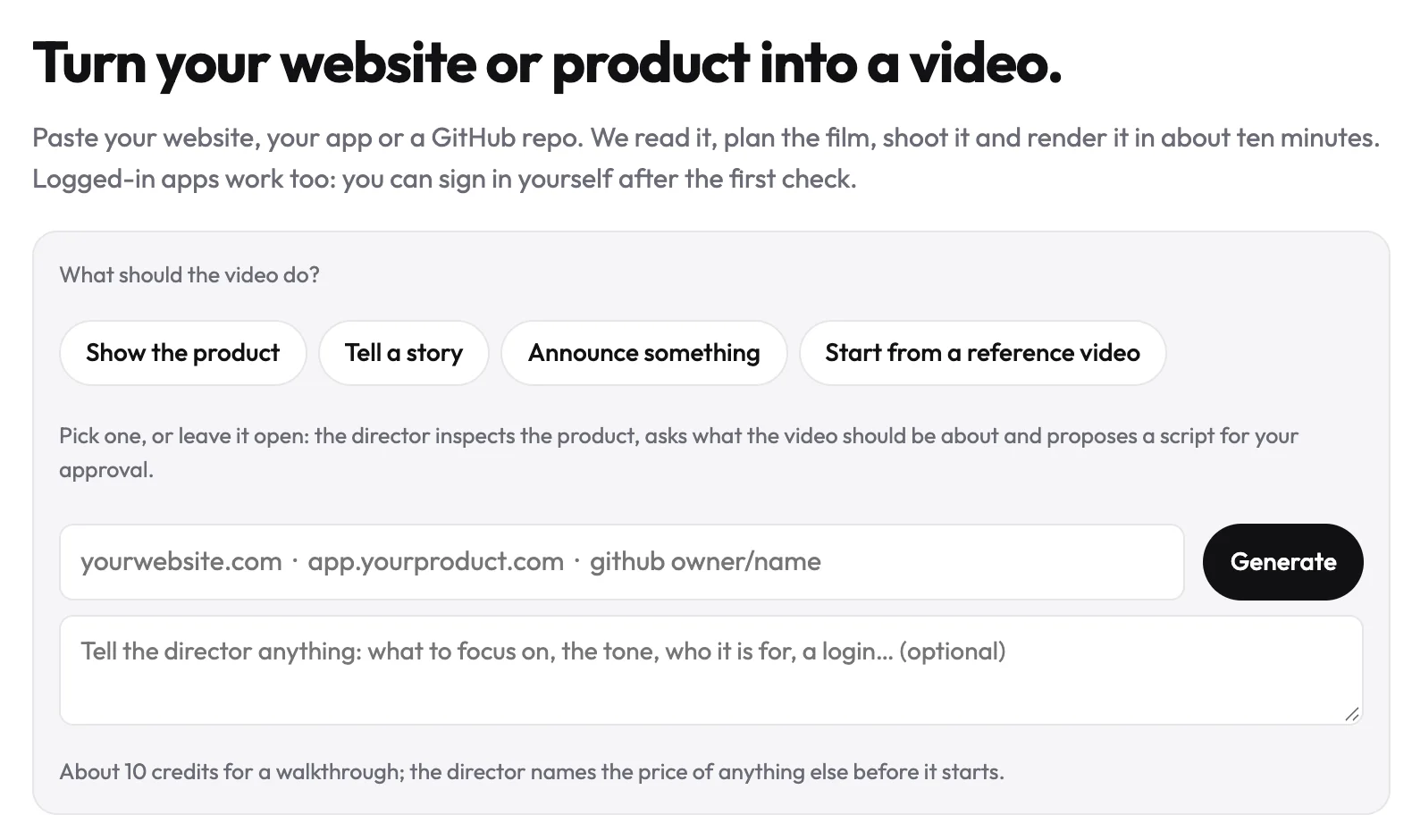
A launch video doesn't need the most features. It needs the thing you built, doing what it does.
Make your heygen alternatives from your website — it’s free →
Questions
What are HeyGen alternatives?
HeyGen alternatives are video tools people pick instead of HeyGen when their job differs from what HeyGen does best. HeyGen itself is used to translate existing videos into 175+ languages while keeping the speaker's voice and lip movements, and to make avatar videos from one script. Alternatives include Synthesia and Colossyan for stock presenters, Arcade for clickable interactive demos, and uscale for narrated films of a real product.
What's a free alternative to HeyGen for product videos?
A free alternative to HeyGen for product videos depends on the format. Arcade's Free plan includes one published demo and one published video a month, with watermarked output, for demos buyers click through. uscale's free pack gives 10 credits, or 20 with a work email, with no card needed, which covers one full first video of your real product. HeyGen's own free plan allows up to 3 videos a month.
Is there a HeyGen alternative that shows my actual product instead of an avatar?
Yes. uscale makes a narrated video of your real product instead of an avatar. Give it the address of your website or web app and it films the live screens, including those behind a sign-in, where you sign in once in a browser streamed to you. Or connect a GitHub repo read-only, and uscale's director reads it to plan a film of the project. You approve a storyboard with every narration line before anything is filmed.
Can I make an avatar video of myself without HeyGen?
Yes. uscale makes a founder avatar film from one clear photo of you: a presenter speaks up to six approved lines to camera, with your product composed around them. The presenter speaks with one of uscale's voices, not your own. The avatar film costs 33 credits in total. Synthesia and Colossyan offer stock avatar libraries; check their own pages for avatars made from your own footage.
What does uscale cost?
uscale sells credits once, with no subscription and no seats. The free pack is $0 for 10 credits, or 20 with a work email, and covers your first video. Lite is $29 for 25 credits, Starter $49 for 50, and Growth $129 for 150. A product walkthrough costs about 10 credits and a founder avatar film 33. uscale's director names each price before a step starts.

The team behind uscale, which turns a website, web app or GitHub repo into a narrated product video.