Half avatar, half screen recording
Product demos are the second most common use for Synthesia videos, according to Synthesia's own blog. The usual version is an AI avatar paired with a screen recording: a presenter who isn't real, standing beside a product that is.
So when someone searches for Synthesia alternatives for a product video, it's tempting to read that as a hunt for a better avatar. Often it isn't. The avatar is only half of that pairing. The real question is who should be on screen at all: a presenter speaking to camera, the product itself with nobody in front of it, or a product the buyer clicks through on their own.
Each answer points to a different kind of tool, and a tool built for one of them can be the wrong buy for the other two. On Synthesia's own pages, a demo begins from a recording you make or upload.
Why teams look for Synthesia alternatives (and what Synthesia does well)
Start with what Synthesia does well, as its own pages described it on 15 October 2026. It offers more than 240 stock AI avatars. You can also make an avatar from a photo or generate one from a prompt. Its avatar library comes with more than 1,000 AI voices across more than 140 languages and accents, and the same video can be published in all of them without recording it again (Synthesia's avatar page). For a team selling in many markets, that is a real strength.
It has product-video tools too. An AI screen recorder transcribes your voice, removes filler words and turns the recording into editable scenes. An AI Video Assistant turns a help article, slides or documentation into a video (Synthesia's product video page).
Here are the plans as Synthesia's pricing page listed them on 15 October 2026:
| Plan | Price | What the page notes |
|---|---|---|
| Basic | $0/month | 500 credits a month and 10 minutes of video creation or dubbing |
| Starter | $29/month | |
| Pro | $89/month | |
| Enterprise | Custom pricing |
Different jobs, not shortcomings
So why do teams look elsewhere? Usually because their video is a different job.
A Synthesia product demo starts from a recording. You click Record in the editor to capture a screen, window or tab, or you upload an MP4 file of up to 500MB (Synthesia's demo video page). A custom avatar of yourself starts from a short video recording and a verification process (Synthesia's avatar tool page). That works when someone owns the recording. A recording is also a snapshot. When the settings page moves, someone records the demo again.
The fit changes when:
- you want the live product on screen, with nobody recording anything
- the video is a course module that has to go into an LMS
- buyers should click through the product themselves, at their own pace
Find your job in that list, and the rest of this page gets short. uscale is our product. We've put it where we think it fits, and said where others fit better.
The first alternative keeps a presenter on screen and changes how you pay for one.
HeyGen: when you want a presenter, priced by the minute
HeyGen fits when the video needs someone speaking to camera and you want to pay for that presenter by the minute, or by the second. Its own pages describe avatar videos in several generations: Avatar III Digital Twin, Avatar IV photo avatar and Avatar V. The Creator plan lists at $29/month with 600 credits, and each generation spends those credits at its own rate (HeyGen's pricing comparison, October 2026).
| Avatar generation | Credits per minute (on a plan) | API, per second (no subscription) |
|---|---|---|
| Avatar III Digital Twin | 4 | $0.0167 |
| Avatar IV photo avatar | 31 | $0.05 |
| Avatar V | 48 | $0.0667 |
Source: HeyGen blog, October 2026, quoted as given.
Two details matter when you plan a budget. The API charges per second with no subscription and is paid from a $5 prepaid wallet, so a developer can make avatar videos in bulk without a monthly plan. HeyGen's help center also says no plan, enterprise included, offers unlimited Avatar IV use, and Avatar IV always uses credits (September 2026). Check the rate of the avatar you want before you choose a plan.
Where it fits
We recommend HeyGen over uscale when a person or an avatar speaks to camera. We also recommend it for developers making avatar videos in bulk through an API. With HeyGen, the price follows the presenter: the avatar you pick sets the rate. That money is well spent when the presenter is the point of the video, such as a founder introducing a release. If nobody needs to be on camera, as in a walkthrough of your dashboard, you'd be paying for avatar minutes the video doesn't use.
HeyGen vs Synthesia
HeyGen's Creator plan and Synthesia's Starter plan both list at $29/month. Both offer an API. Synthesia's API documentation says access needs a plan it calls Creator or higher. Its pricing page uses different names: Basic, Starter, Pro and Enterprise. Ask Synthesia which of those plans includes the API. For presenter videos, neither is the clear winner. Choose by the avatars your team prefers and the pricing model that suits how you work. HeyGen charges a credit rate for each avatar generation and offers a per-second API. Synthesia sells plan tiers.
vs uscale: HeyGen gives you a per-second API and a choice of avatar generations. uscale films your live product from its address, with nothing to record on your side.
That leaves the next question: what if nobody needs to be on camera at all?
uscale: when the video should show the real product
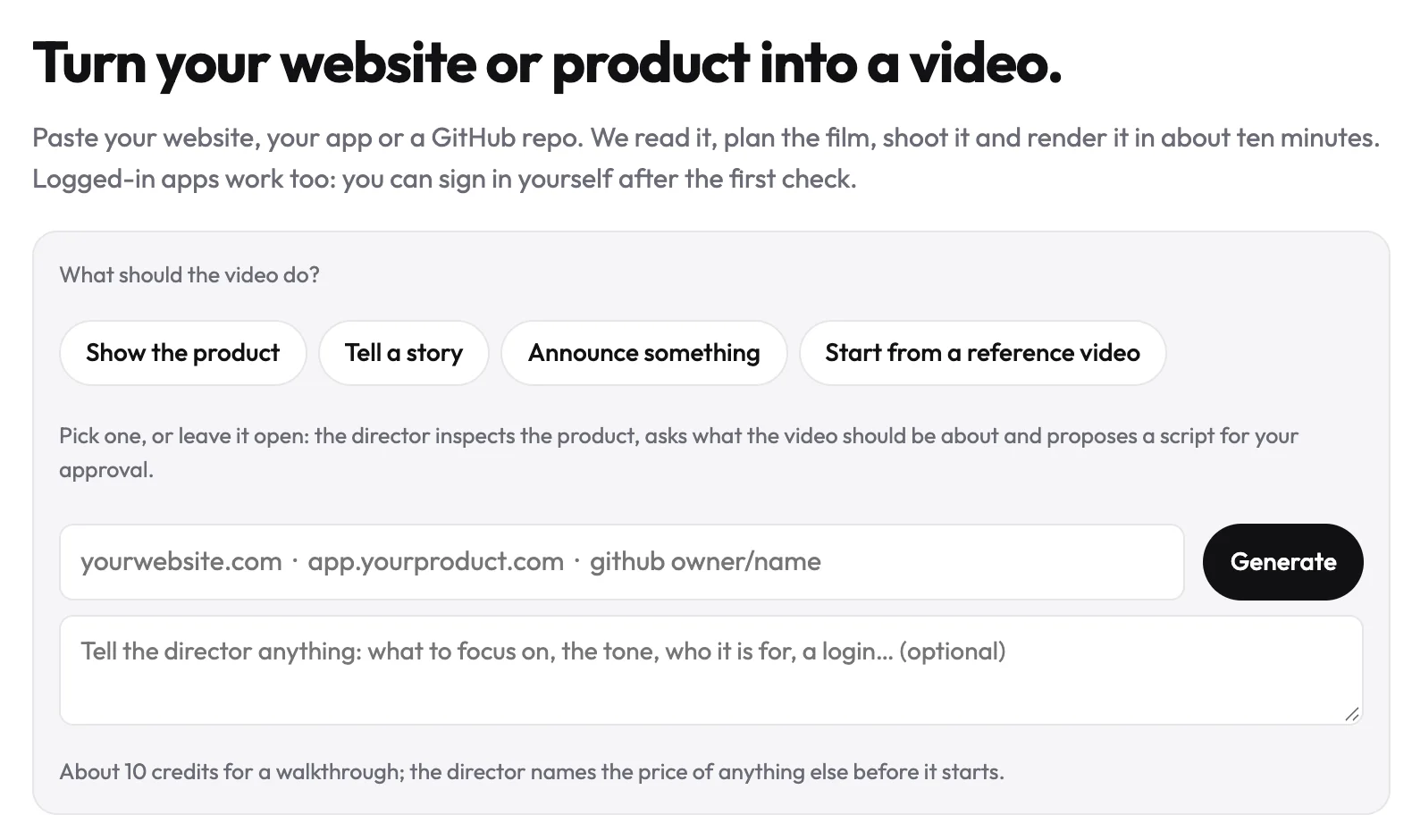
uscale is an AI product video generator for videos where the buyer needs to see the product itself. Paste the address of your website, web app or GitHub repo, and you get a narrated film of the real product with nothing to record. If the proof is a feature working, film the feature.
What approving every line looks like
A director reads the product and writes a storyboard with every narration line. Nothing is filmed until you approve it. Say you're launching an invoicing dashboard:
| Beat | On screen | Narration |
|---|---|---|
| 1 | Dashboard after sign-in | "Every unpaid invoice, on one screen." |
| 2 | Filter set to overdue | "Filter to overdue and see who to chase first." |
| 3 | Reminder sent from a row | "Send a reminder without opening your inbox." |
The result comes before the menu, because a viewer decides in the first beat whether the film is for them. To change a beat, ask in the chat, which is free.
What else you get
For software products, screens behind a sign-in work too: you sign in once, in a browser streamed to you. Films come with voice, captions and music in your brand. You can have them in 21 languages, as a walkthrough, launch film or cinematic cut. For a face on screen, a founder avatar film turns one clear photo of you into a presenter. It speaks up to six approved lines of about 30 words each, in one of uscale's voices, not your own.
What it costs
From the pricing page: you start with 10 credits (20 with a work email) and no card. After that you buy packs once, with no subscription and no seats: Lite $29 for 25 credits, Starter $49 for 50 credits ($0.98 per credit), Growth $129 for 150 credits ($0.86 per credit). A product walkthrough is about 10 credits. The director names every price before it starts.
A founder avatar film costs 33 credits: 1 for the portrait, 30 for the avatar film and 2 for its render.
What it isn't built for
uscale has no stock avatars, no cloned version of your own voice and no slide-based editor. It has no public REST API. It works in Claude, ChatGPT and Cursor through its MCP server. It doesn't make films in Chinese, Japanese, Korean or Arabic yet.
vs Synthesia: Synthesia has more than 240 stock AI avatars and more than 140 languages (Synthesia, 2026-10-15). Its demos start from a screen you record or an MP4 you upload (Synthesia, 2026-10-15). uscale needs only the product's address.
Try it: make an AI product video from your site's address, and approve every narration line before anything is filmed.
Some product videos, though, are lessons that have to live inside a course.
Colossyan: when the video is a training module
Colossyan fits when the video is a course module that has to go into a learning management system. Its pricing page (checked 2026-10-15) puts SCORM export on the Professional plan. For a training team, that one line matters more than any comparison of avatars.
| Plan | What Colossyan lists (pricing page, 2026-10-15) |
|---|---|
| Starter | Free, 20 minutes a month with NEO avatars |
| Professional | $59/month plus $30/month for each extra member; 30 minutes a month of NEO and 10 of NEO2; SCORM export, AI image generation, up to 3 editors |
| Enterprise | Unlimited minutes, SSO, data residency, a dedicated customer success manager; price: see their pricing page |
Read the plans as a team decision. The free plan is enough to test whether a NEO presenter suits your material. On Professional, the per-member fee is the cost that grows, so count who will actually edit before you add seats. Enterprise is the plan to look at once IT asks for SSO and data residency.
Best for
L&D and enablement teams whose videos go into an LMS. That includes onboarding courses, compliance modules and sales enablement lessons that a few people edit together. For a course module that needs SCORM, we recommend Colossyan over uscale.
Not the right fit for
Colossyan is the wrong shape for a launch film or a walkthrough of a live app that nobody on the team wants to present. Its pricing page describes NEO avatars and SCORM export. It does not describe filming a live product.
A test you can reuse: ask where the video will live before you ask who appears in it. An LMS points to Colossyan. A launch page or a help article points to a film of the product.
vs uscale: Colossyan exports SCORM and lets up to 3 editors share the work on Professional. uscale films the real product from the address of your site, app or repo.
All three of those still end in a video. The next job may not need one.
A clickable demo or a screen recorder: when the buyer clicks, or a teammate needs a quick note
Some product jobs shouldn't be a video at all. A common mistake is making a film when the buyer wants to drive. A film decides the order, the pace and what gets shown. That control helps when the story matters. It gets in the way when a buyer wants to open the one screen they care about.
When the buyer should click
A clickable demo lets buyers move through the product at their own pace. They can skip what they already know and stay on what they're weighing. If your evaluators want to try before they talk to anyone, choose a clickable demo over uscale. We weigh the two formats in interactive demo vs demo video.
When a teammate needs a quick note
Use a screen recorder for an async message to a teammate or to one customer: your face, your voice and your cursor, sent in about the time it takes to say it. Polish would get in the way, because the note matters most for coming from you. Choose a screen recorder over uscale for this job. Our guide to Loom alternatives for product demos compares the options. If you already have footage and only need to edit it, an editor fits better. See the Descript alternatives page.
| Your job | Pick | Why it fits better than a film |
|---|---|---|
| Buyers explore on their own | Clickable demo | They choose the path |
| A note to one person | Screen recorder | It's personal and quick |
| Footage you already shot | Video editor | The material already exists |
A test you can reuse: if the viewer should decide what happens next, the job isn't a film.
vs uscale: A clickable demo gives you the buyer's own clicks, and a screen recorder gives you a short personal note. uscale gives you a narrated, captioned film of the live product that plays the same way for every viewer. The table below sets all five options side by side.
Synthesia alternatives side by side: HeyGen, uscale, Colossyan or a clickable demo
uscale is our product. The table asks each option the same six questions, answered from each tool's own pages:
- Best for: the job the tool fits.
- Who's on screen: this settles most of the other choices.
- How a video starts: what you have to bring.
- Languages: this matters if you publish beyond one market.
- Entry price: the free tier and first paid step.
- API or AI-assistant access: this matters if you make videos in bulk or from a chat app.
| Best for | Who's on screen | How a video starts | Languages | Entry price | API or AI-assistant access | |
|---|---|---|---|---|---|---|
| Synthesia | Presenter videos published in many languages | An AI avatar, usually with a screen recording | A recording you make in its editor, or an MP4 you upload | 140+ | Basic $0/month; Starter $29/month | Video API (Creator plan or higher); videos from Claude, ChatGPT, Slack and Teams |
| HeyGen | A presenter to camera; avatar videos in bulk | An AI avatar | Choosing an avatar: Digital Twin, photo avatar or Avatar V | See their pricing page | Creator $29/month, 600 credits | Per-second API, no subscription, from a $5 prepaid wallet |
| uscale | A film of the real product | Your live product, or a presenter made from one photo of you | The address of your site, app or GitHub repo | 21, in Latin and Cyrillic scripts | Free, 10 credits; Lite $29 for 25 credits, paid once | No REST API; works in Claude, ChatGPT and Cursor through its MCP server |
| Colossyan | Training modules for an LMS, with SCORM export | NEO and NEO2 avatars | See their pricing page | See their pricing page | Starter free, 20 minutes/month; Professional $59/month plus $30/month per extra member | See their pricing page |
| Clickable demo or screen recorder | Buyers clicking at their own pace; a quick note to a teammate | The product as the buyer clicks it, or your screen | Capturing your product, or recording your screen | See their pricing pages | See their pricing pages | See their pricing pages |
The Synthesia and Colossyan pages were checked on 2026-10-15. HeyGen's pricing blog is dated 2026-10, and uscale's figures come from its /pricing and /mcp pages. Synthesia, HeyGen and Colossyan list monthly plans. uscale's packs are bought once, with no subscription and no seats, so a $29 pack and $29 a month are different purchases.
Start with the "who's on screen" column. Pick the row that puts the right thing in front of your viewer: a presenter, your live product, a course module or the buyer's own clicks. Price and languages only decide between rows that already fit.
Which row is yours
- Synthesia: one presenter video has to go out in many languages.
- HeyGen: a developer wants avatar videos priced per second.
- uscale: you're a solo founder before launch or a developer-relations team with a repo, and nobody wants to present or record. An agency with many clients can buy credits as needed, without seats.
- Colossyan: you're building modules for an LMS.
- A clickable demo or screen recorder: buyers should click through themselves, or a teammate needs a quick note.
Rule of thumb: decide who should be on screen, and the tool follows.
That leaves one option the table can't show: not switching at all.
How to choose a Synthesia alternative, and when not to choose uscale
The case for staying on Synthesia is strong. It lists more than 240 stock AI avatars and more than 140 languages. It says one video can be published in all of them without recording it again. Its Studio Avatar page (2026-10-15) says voice cloning lets an avatar speak in 29 languages in your own voice. Its pricing page (2026-10-15) lists SAML/SSO on the Enterprise plan, which a security review may require. If your demos already work as a screen recording with an avatar beside it, and your buyers speak many languages, switching gets you a new workflow and little else. Stay.
uscale is the wrong pick for several jobs on this page. Find your row and make one choice:
| If you need… | Pick… |
|---|---|
| A library of stock avatars | Synthesia (more than 240 stock AI avatars, avatar page, 2026-10-15) |
| An avatar that speaks in your own voice | Synthesia, with voice cloning |
| Chinese, Japanese, Korean or Arabic | Synthesia lists more than 140 languages (avatar page, 2026-10-15). Check that yours is among them |
| Videos made in bulk through a REST API | Synthesia's Video API (Creator plan or higher) or HeyGen's per-second API |
| An editor where you arrange scenes yourself | Synthesia, whose screen recorder turns a recording into editable scenes |
| A course module exported as SCORM | Colossyan Professional |
| Edits to footage you already shot | A video editor, see Descript alternatives |
| Buyers clicking through the product themselves | A clickable demo, see interactive demo vs demo video |
| A real person filmed on a live-action shoot | A production crew |
| A narrated film of your live product, with nothing recorded on your side | uscale |
If your row names another tool, that tool will serve you better. If it is the last row, watch the example films first, then start with the steps below.
Before your next product video
- Decide who should be on screen. Your options are a presenter, the product itself, a course module for your LMS, or the buyer's own clicks. That one answer narrows this list to a single row.
- If it's the product, start from its address. Paste your website, web app or GitHub repo into uscale's AI product video generator. Your first video is free, and no card is needed.
- Read the storyboard before anything is filmed. Every narration line is there for you to approve, or to change in the chat, so the film says what you meant.
The search started with finding a better avatar tool. It ends with a simpler question: who is the video about? For most product videos, the honest answer is the product, doing the thing it was built to do.
Make your synthesia alternatives from your website — it’s free →
Questions
What is Synthesia used for?
Synthesia is an AI video platform used to make presenter-led videos with AI avatars, published in many languages without recording them again. Its avatar page (15 October 2026) lists more than 240 stock AI avatars and more than 140 languages. Its own blog says product demos are the second most common use, usually an AI avatar paired with a screen recording. It also suits onboarding tutorials, feature walkthroughs, how-to guides and customer support videos. Synthesia alternatives are tools for those same jobs, such as HeyGen for presenter videos, Colossyan for training modules or uscale for films of the live product.
What's a free alternative to Synthesia for product demos?
A free alternative to Synthesia for product demos depends on who should be on screen. For a presenter, Colossyan's Starter plan is free with 20 minutes a month of NEO avatars (Colossyan's pricing page, 15 October 2026), and Synthesia's own Basic plan costs $0/month (Synthesia's pricing page, 15 October 2026). For a film of the real product, uscale's first video is free, with 10 credits, or 20 with a work email per uscale's pricing page, and no card needed. uscale films the live product from its address.
HeyGen vs Synthesia: which fits a product video better?
HeyGen vs Synthesia comes down to pricing model and avatars, since both are built for presenter videos. HeyGen's Creator plan (HeyGen's pricing blog, October 2026) and Synthesia's Starter plan (Synthesia's pricing page, 15 October 2026) both list at $29/month. HeyGen's blog says it charges credits per avatar generation, from 4 to 48 credits a minute, and offers a per-second API with no subscription. Synthesia sells plan tiers and lists more than 140 languages (avatar page, 15 October 2026). If the video should show the live product without a presenter, a product film tool fits better.
Can I make an AI presenter video of myself without filming?
Yes. An AI presenter video of yourself can start from a photo. uscale's founder avatar film turns one clear photo of you into a presenter who speaks up to six approved lines of about 30 words each, in one of uscale's voices rather than your own. It costs 33 credits, per uscale's pricing page. Synthesia can also create an avatar from a photo, while a custom avatar of yourself there starts from a short video recording and a verification process.
What does uscale cost compared with Synthesia?
uscale sells credit packs bought once, with no subscription and no seats: Lite $29 for 25 credits, Starter $49 for 50 credits and Growth $129 for 150 credits, per uscale's pricing page. A product walkthrough is about 10 credits, and the first video is free. Synthesia's pricing page (15 October 2026) lists monthly plans: Basic at $0/month, Starter at $29/month, Pro at $89/month and Enterprise with custom pricing. A $29 pack and $29 a month are different purchases.

The team behind uscale, which turns a website, web app or GitHub repo into a narrated product video.