A new model, so a new way to make videos?
The headline invites an easy assumption: a new OpenAI model must mean a new way to make product videos. It doesn't. Since October 7, 2026, GPT-6 has been rolling out in ChatGPT with Intelligent UI, which gives answers with visuals and interactive experiences. OpenAI says it is built for the more than 1.2 billion people who use ChatGPT each week.
Should you care about GPT-6 for product video scripts? Yes, for the page you write before filming: script and storyboard. Not the footage.
We have not tested GPT-6 in our own tool; this post reads the announcement.
Words move, footage stays
GPT-6 changes the writing stage of an explainer or demo, because the script, beats and storyboard you draft in ChatGPT can come back as a structured, interactive layout. What OpenAI announced happens in the chat; filming your product is not part of it. Footage, camera moves, clip length and formats stay where they were: revisit your script stage this week and leave the filming alone.
GPT-6 in ChatGPT: who has it and what it costs
If you pay for ChatGPT, you probably have GPT-6 in the Chat tab already. OpenAI says the rollout began on October 7 for Plus, Pro, Business and Enterprise, and reached Free and Go users the next day. DataNorth reports that paid plans get GPT-6 Sol first, Free and Go get GPT-6 Luna, and Enterprise access depends on admin settings. The Work and Codex tabs keep their old models, according to Basic Tutorials, so draft scripts in Chat.
| Plan | Model | From | Note |
|---|---|---|---|
| Plus | GPT-6 Sol | October 7 | $20/month; API billed separately |
| Pro, Business | GPT-6 Sol | October 7 | |
| Enterprise | GPT-6 Sol | October 7 | Depends on admin settings |
| Free, Go | GPT-6 Luna | October 8 | |
| API | gpt-6-sol | $2 input / $10 output per 1M tokens | |
| API | gpt-6-luna | $0.10 input / $0.50 output per 1M tokens |
The Plus price is from OpenAI's Help Center. The API prices are from OpenAI's announcement of September 22, 2026.
A product video script is a short piece of text. For a script, token cost matters less than which model your plan opens when you start a chat. That model shapes the storyboard layout described next.
GPT-6 for product video scripts and storyboards: what Intelligent UI changes
Intelligent UI is about how answers look in ChatGPT, so for a product video it reaches the planning page. OpenAI says a compiler builds the interface from native, streamable components while the answer is still being generated, so the layout appears progressively. OpenAI also says GPT-6 decides how to organise information, when to use interactivity and when plain text is enough.
The Prompt Insider reports that Intelligent UI works from Instant through Extra High reasoning, citing OpenAI's release notes. Citing Search Engine Journal, it adds that web users can switch off a "Layout and visuals" setting.
Try it on an onboarding storyboard
Say a product marketer is planning an onboarding explainer for a SaaS. In the Chat tab they paste:
Lay out our onboarding video storyboard as a table: scene, narration line, screen shown. Open on the user's first result.
The rows below are our own illustration, not GPT-6 output. We have not tested how well GPT-6 handles this prompt.
| Scene | Narration line | Screen shown |
|---|---|---|
| 1 | "Here's your first report, ready to share." | Finished report |
| 2 | "It starts when you connect your data." | Connect screen |
| 3 | "Settings can wait until you need them." | Settings page |
Show the result before the menu, because a new user decides in the first beat whether to keep going. A layout that shows every beat at once makes that reorder easier to see and make.
| Stage | Changed by this release? | Why |
|---|---|---|
| Script and storyboard | Possibly | OpenAI describes answers with visuals and interactive experiences |
| Footage, camera moves, clip length, formats | Not described | OpenAI's announcement covers visuals and interactive layouts in the chat. It does not describe filming your product |
Didn't OpenAI's own team just make a video with AI?
It's a fair question. OpenAI's developer and marketing teams used GPT-6 Astra and Codex to make the GPT-6 Astra Developer First Impressions video, which OpenAI says passed 550k views in 4 days. If a model can cut that, why not your demo?
Look at what went in: three hours of multicamera footage that people had filmed. The models helped turn it into a cut, but cameras still did the filming. And Astra is a different model from the GPT-6 in ChatGPT's Chat tab, where paid plans get GPT-6 Sol and Free and Go users get GPT-6 Luna.
That model has limits OpenAI names itself. As Munder Difflin reports, OpenAI says: “There’s still work ahead to improve the model’s design judgment and expand what it can create”. Older ChatGPT desktop apps for macOS and Windows don't support the new layouts either, per The Prompt Insider.
The footage still has to come from the real product. So how does a script drafted in ChatGPT become a film of it?
From GPT-6 product video scripts to a finished explainer
Draft the script and beats in ChatGPT. Ask for scene, narration line and screen shown. Paste in your product page, because the model hasn't seen it. Done when every scene has a line and a screen. This is today's quick win.
Check every claim against the product and the site. Confirm each feature and label exists as written. Done when nothing is a guess. If you do only one thing, do this.
Film the real product. The free route is the screen recorder you already have. Or paste your lines into the uscale director chat, which fits the scenes to them or keeps the lines you name word for word. You approve every narration line in the storyboard before filming. Then uscale films the real product and adds voice, captions and music. Per uscale pricing, a product walkthrough is about 10 credits. Done when the cut is ready to ship.
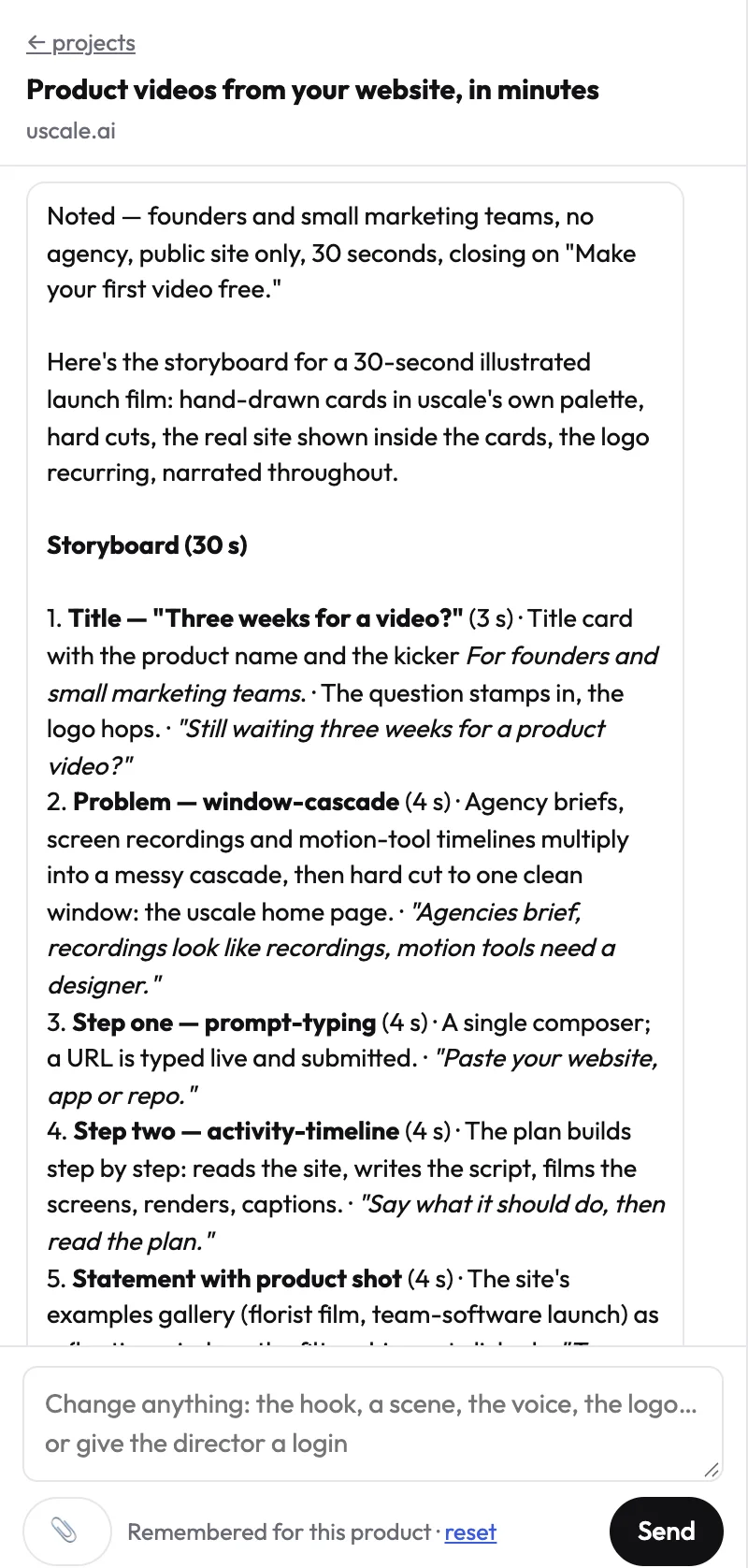
For a developer tool, start from the repo: the director can read a GitHub repository read-only and plan a film before a live site exists.
Done looks like a product explainer video on your launch page and one link sales can send. See more on video for software products.
Try it: make a product explainer video from your own site, and approve every narration line before anything is filmed.
What to do this week
- Check whether your plan has GPT-6 Sol or Luna.
- On the web, rerun the storyboard with Layout and visuals off.
- Update an older desktop app before judging layouts.
- Pick the film the draft becomes: a screen recording, or an explainer built from your approved lines.
Then read how to make an explainer video for the script. Finished videos are in the examples, and your first video is free. This post will be updated when OpenAI ships a new version or changes prices or plan availability.
A new model can write the page. Only your product can fill the frame.
Make your gpt-6 for product video scripts from your website — it’s free →
Questions
What does using GPT-6 for product video scripts mean?
Using GPT-6 for product video scripts means drafting the narration, beats and storyboard of an explainer or demo in ChatGPT's Chat tab, where GPT-6 has been rolling out since October 7, 2026. OpenAI says the model gives faster responses with visuals and interactive experiences through Intelligent UI. OpenAI also says it is built for the more than 1.2 billion people who use ChatGPT each week. Paid plans get GPT-6 Sol first, and Free and Go get GPT-6 Luna.
Can GPT-6 make a product video on its own?
Not according to what OpenAI has announced. OpenAI's announcement of GPT-6 in ChatGPT describes answers with visuals and interactive experiences, which suits scripts, beats and storyboards laid out as visual layouts. It does not describe filming a product. OpenAI's own GPT-6 Astra Developer First Impressions video began with three hours of multicamera footage that people filmed, which Astra and Codex helped turn into a cut. A product video still needs footage of the real product.
What is Intelligent UI in ChatGPT, and does it help with storyboards?
Intelligent UI is the way GPT-6 in ChatGPT builds answers from native, streamable components, so layouts appear progressively while the answer is still being generated. OpenAI says the model decides how to organise information, when to use interactivity and when plain text is enough. For a storyboard, you can ask for scene, narration line and screen shown in a table. OpenAI also says there is still work ahead on the model's design judgment.
Which ChatGPT plans get GPT-6 Sol and which get GPT-6 Luna?
ChatGPT's paid plans, Plus, Pro, Business and Enterprise, get GPT-6 Sol first, with the rollout starting on October 7, 2026. Enterprise access depends on admin settings. Free and Go users get GPT-6 Luna, from October 8. The Work and Codex tabs keep their earlier models. ChatGPT Plus costs $20 a month, and API use is billed separately: gpt-6-sol at $2 input and $10 output per million tokens, and gpt-6-luna at $0.10 input and $0.50 output.
What does it cost to turn a script written with GPT-6 into a product video?
Turning a script written with GPT-6 into a product video needs no new spend if you film it yourself with the screen recorder you already have. Per uscale's pricing page (/pricing), the first video is free, and after that a product walkthrough is about 10 credits. The Starter pack is $49 for 50 credits, with no subscription. The director chat is free, the storyboard is listed under the Free tier, and the price of each step is named before it starts.

The team behind uscale, which turns a website, web app or GitHub repo into a narrated product video.