Is there an AI SaaS promo video tool for people who can't edit?
Yes, there are several kinds, and the right AI SaaS promo video tool depends on one thing: where the picture of your product comes from.
The question assumes the gap is editing skill. It usually isn't. "AI promo video tool" covers screen recorders, avatar presenters, generated scenes and tools that film your live app. Each takes a different set of jobs off your hands.
You're far from alone in asking. In Wyzowl's 2026 survey, 63% of video marketers have used AI to create or edit video, up from 51%.
So carry one question into every tool below: does it show my real product, and what does it leave for me to do? To answer it, you first need to know which jobs a promo involves, because those are the jobs a tool either takes or leaves with you.
What does a SaaS promo video need, and which jobs can AI take?
Every SaaS promo needs four things, and each kind of AI tool takes a different subset of them off your hands:
- A script: the words the viewer hears, in an order that makes one point.
- Pictures of the product: the screens a customer will actually use. These can be joined by b-roll, which is supporting footage that isn't the product itself, such as an opening scene.
- A voice: someone, or something, reading the script.
- The cut: captions, music and the format. The format includes the aspect ratio, which is the shape of the frame: tall for social feeds, wide for your site or YouTube.
For software, the pictures matter most. In Wyzowl's 2026 survey, 96% of people have watched an explainer video to learn about a product or service, and 63% would most like to learn about a product by watching a short video. Makers have noticed: 39% of video marketers make product demos and 17% make app demo videos. Viewers come to see what the product does, so the product has to be on screen.
That gives you four routes to a SaaS promo, sorted by where the picture comes from. They are a choice, not a sequence. Each route takes a different set of jobs, and the trade-off is between showing your real screens and how much work is left for you.
| Route | Where the picture comes from | Jobs the tool takes | Jobs left to you |
|---|---|---|---|
| Screen recorder | Your real product, as you click through it | Capturing the screens | The script, the take, the voice and most of the cut |
| AI avatar tool | A generated presenter speaking to camera | The presenter and their voice | Check its own page for script writing and product capture |
| Prompt-to-video model | Scenes generated from a text prompt | Generated footage, useful as b-roll | Your real screens, the script, and joining short clips into one promo |
| URL- or repo-to-video tool | Your live site, web app or GitHub repo, filmed by the tool | A script for your approval, the filming, the voice, captions and music | Approving the script and asking for changes |
Any tool you meet fits one of these rows, including tools this post doesn't name. Ask where its picture comes from, then read across to see what it leaves for you.
Can a screen recorder make a SaaS promo if you can't edit?
Yes, if you are willing to be the writer, the presenter and the narrator. A screen recorder shows your real product exactly as you click through it. It doesn't decide what to say. You write the script, perform the take and voice it yourself.
The picture is the strength. Every button, label and number in the frame is the real one, so the promo can't drift from what a buyer finds after signing up.
For someone new to video, the limits come from the take and the plan. A take is a performance: you click and talk at the same time, and a stumble usually means starting again or cutting it out later. Plans differ in ways that matter for a promo, so read each vendor's own pricing page before you record.
| Check on the vendor's pricing page | Why it matters for a promo |
|---|---|
| Can the free plan download or export? | A promo has to live on your site and in feeds, not only behind a share link |
| Is recording length capped? | A tour often runs longer than planned |
| What resolution does it export? | Small interface text has to stay readable |
| Which operating systems does it run on? | Not everyone on your team may use the same one |
| Is it priced per seat? | The cost grows with each person who records |
Many people pick a recorder because it needs no editing skill. Then they find the hard part was the take. A recorder shows your real product only as well as you can talk over it. If speaking over your own screens feels fine, compare the Loom alternatives for product demos or the Screen Studio alternatives. If it doesn't, the next route brings in a presenter.
Are AI avatar tools like HeyGen and Synthesia right for a software promo?
They fit when you want a presenter speaking to camera without filming anyone. But a presenter is not your product, and a software promo is judged on the product.
The strengths are real. You need no camera, no studio and no filming day. Both tools also let you try before you pay. HeyGen's free plan allows up to 3 videos a month with no credit card. Synthesia's free Basic plan covers 10 minutes of video a month, and those videos carry a Synthesia watermark. For other options, see the HeyGen alternatives and Synthesia alternatives pages.
| Plan (each tool's own pricing page, 18 October 2026) | HeyGen | Synthesia |
|---|---|---|
| Free | Up to 3 videos a month, no card | 10 minutes a month, watermarked |
| First paid plan | Creator: $29 a month, or $24 paid annually | Starter: $29 a month |
| Next plan | Pro: from $49 a month | $89 a month |
| Team | Business: $149 a month, plus $20 per extra seat | Enterprise: custom price |
The catch follows from what a promo has to do. An avatar can explain what your software does. A viewer, though, decides whether it's for them by watching it work. So the screens still have to come from somewhere, and an avatar tool doesn't remove that job. Before you pay, check what each tool accepts for your product footage and who has to capture it. Don't assume either tool films your app for you.
A face can tell viewers what the product does. Only the screens can show them. Ask whether your promo needs a face at all, or whether a presenter would only stand between the viewer and the product.
Can prompt-to-video AI show your actual product?
Not your real screens. Prompt-to-video models such as Runway's and Google's Veo 3.1 generate footage from a text prompt. They never open your live app, so any interface they draw is invented. It won't match what a customer sees after signing up.
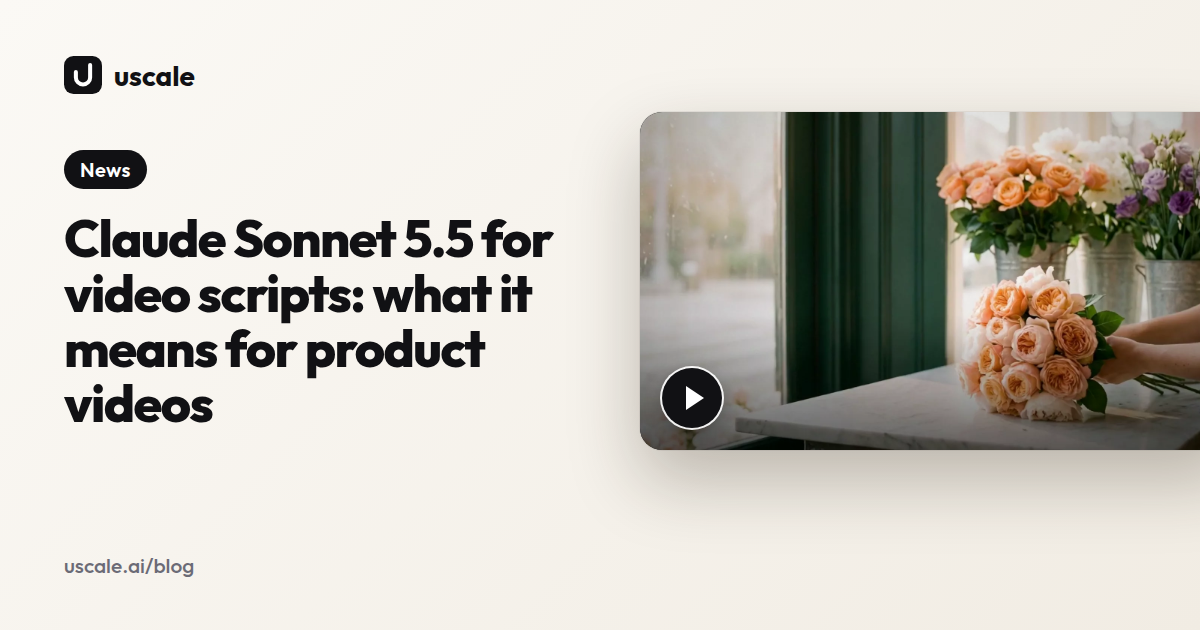
Where these models do well is atmosphere: an opening scene or a mood shot before the product appears. The film below follows that order. It opens on mood and then hands over to the real app, so the viewer gets a feeling first and proof second.
Budget for these models per second, not per video. On Google's Gemini API pricing page (checked 18 October 2026), Veo 3.1 Standard costs $0.40 per second at 720p or 1080p and $0.60 at 4K. Fast is $0.10 to $0.30 per second, and Lite is $0.05 to $0.08. None of the three has a free tier.
On Runway's pricing page (18 October 2026), Standard is $15 a month, or $12 billed yearly. Its 625 monthly credits buy about 52 seconds of Gen-4.5. Pro is $35 a month ($28 yearly) for about 187 seconds, and Max is $95 ($76 yearly) for about 791. For a model-by-model look, see how Kling 4.0 handles product videos.
So use generated shots for mood and the real product for proof. A viewer who sees a screen in your promo expects to find it after signing up, and a drawn dashboard that doesn't exist breaks that promise at the first click. That is why the next route films the live product instead.
What does a URL-to-video tool like uscale do differently?
You paste the address of your website or web app, or a GitHub repo. uscale reads the product, writes a storyboard with every narration line for your approval, films the real product, and adds voice, captions and music. uscale says it takes minutes.
You don't record your screen. Screens come out sharp and never cropped. The film uses your own logo, colours and fonts, read from your live site, so there is no brand kit to upload. Screens behind a sign-in can be filmed too, after you sign in once yourself. If you have no live site yet, a read-only GitHub connection lets it plan a film from your repo.
The real difference is who writes the script. A recorder leaves you the words, the take and the cut. Here the words arrive already written, and your job is to approve them. Reading a line and saying yes or no is the one video job anyone can do well, whether or not they can edit.
AlpacaRelay, above, is one of uscale's own published films. Watch it and judge the result for yourself. More are on the example films page, and our guide to URL-to-video covers the route in more depth.
Where it falls short today
Films use uscale's voices, not your own. Captions are burned into every film and can't be turned off. There are 21 languages, all in Latin or Cyrillic script. A site in another script gets an English film. It is the wrong route for a live-action shoot, a founder filmed on camera, or footage you already have.
If none of those rule it out, the steps are short enough to take one at a time.
How do you make a SaaS promo from your website, step by step?
Paste your address, approve the storyboard, ask for changes in the director chat, and download the film from Preview. The order matters: approve the words before anything is filmed. Changing a line in the chat costs nothing. Changing it after a render means a new version.
1. Paste the address and say what the video is for
On the Generate page, paste your site or app address, or owner/name for a GitHub repo. Pick what the video should do, such as a launch film or a product walkthrough. Or leave it open, and the director reads the product, asks what the film is for and proposes a form. This step is done when a storyboard is waiting for you.
2. Read every narration line
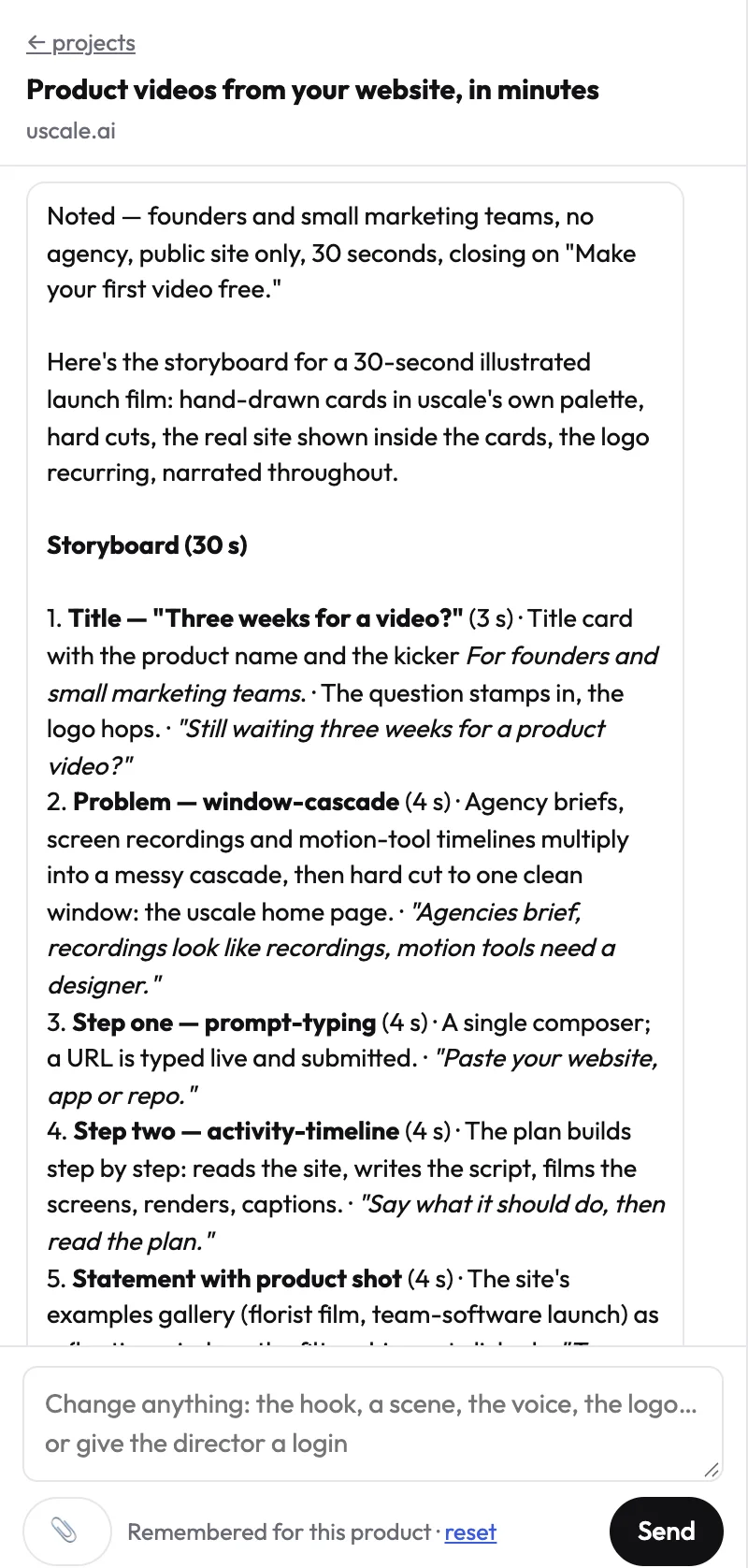
The storyboard lists each scene with the line the voice will read. You can paste your own lines, keep some word for word, or name the screens: "start on the dashboard and end on the export." Read it out loud. A line that trips you will trip the voice too. This step is done when you'd sign every line.
A hypothetical launch for an invoicing app:
| Scene | Narration |
|---|---|
| Dashboard | "Every unpaid invoice, on one screen." |
| Reminders | "Set a reminder once. It follows up for you." |
| Export | "Month-end: send it all to your accountant." |
3. Ask for changes in the chat
Describe the voice you want in your own words and pick from the samples. Ask for tighter pacing, or explain how your product's name is said. Add "keep everything else" and only the moment you name changes.
4. Download from Preview
The finished film arrives in Preview. Every render is a new version, and you can download any of them. Each film that passes its checks comes with a post pack: a LinkedIn post, an X post, a YouTube title and description, and alt text.
What it costs
Chatting and reading your site, documents and repo cost nothing, and the director asks before it spends a credit. The pricing page lists Lite's 25 credits as about 2 product walkthroughs. The director names each price before it starts. That is why step 2 carries the weight: settle the words while they are still a conversation.
Which AI SaaS promo video tool fits your product?
Choose first by where the picture should come from, then by how you want to pay. uscale is our product, and like the others, its row says when to skip it.
| Route | Tools | Good for | What you still do | Price as listed (source, date) | Skip it when |
|---|---|---|---|---|---|
| Screen recorder | Loom, Screen Studio | Real screens in your own voice | Write, perform and voice the take | Check each vendor's own pricing page | You don't want to be the voice |
| AI avatar | HeyGen, Synthesia | A presenter with no filming day | Check each tool's page for script writing and product capture | HeyGen Creator $29 a month, $24 paid annually (HeyGen). Synthesia Starter $29 a month (Synthesia) | A face adds nothing to your promo |
| Prompt-to-video | Runway, Veo 3.1 | Mood shots and b-roll | Write prompts, stitch clips, add the real product | Runway Standard $15 a month, $12 billed yearly (Runway). Veo 3.1 Standard $0.40 per second at 720p or 1080p, no free tier (Gemini API) | Viewers need to see your real interface |
| URL- or repo-to-video | uscale | Your real product filmed, with script, voice, captions and music | Approve the storyboard, ask for changes in the chat | Lite $29 for 25 credits, paid once, no subscription, no seats. Lite's 25 credits cover about 2 product walkthroughs (uscale pricing) | You want your own voice, a live-action shoot, footage you already have, or a language outside Latin or Cyrillic script |
The HeyGen, Synthesia, Runway and Gemini API prices come from each vendor's own page, checked 18 Oct 2026. Per-seat subscriptions, per-second generation and pay-once credits aren't directly comparable, so price the video you actually need.
Choose by situation
- A solo founder before launch: choose uscale for a launch film made from your live site. Choose Loom or Screen Studio if you'll record and voice it yourself.
- A developer-relations team with a repo: choose uscale to plan a film from the repo before there's a live site. Choose a recorder if a teammate should narrate in their own voice.
- An agency with many clients: choose uscale for films in each client's own logo, colours and fonts. Choose HeyGen or Synthesia when a client wants a presenter.
Rule of thumb: pick the route that puts your real product on screen and leaves you the fewest jobs, then price that one video.
What mistakes do first-time makers of a SaaS promo make?
The most common mistake is choosing a tool for its showreel instead of for where the picture comes from. To be fair, a recorder take you're already comfortable with can beat wrestling with a tool you don't trust. Otherwise, run this checklist before spending anything.
- Generated interface shots. An invented dashboard won't match what customers see after they sign up. Fix: use generated footage for mood and real screens for proof.
- Real customer data on screen. A film of a logged-in app shows whatever the signed-in account shows. Fix: use a demo account with sample data, or tell the director which screens to avoid.
- A long tour. As the Wyzowl figures above show, people would rather learn about a product from a short video. Fix: give the film one job and cut every screen that doesn't serve it.
- The wrong format. Buyers who need to click through the product themselves are better served by an interactive demo. A feed or a landing page needs a video. Fix: decide the format first, using interactive demo vs demo video.
- A script nobody read aloud. Lines that read well on the page can trip up the voice. Fix: read every narration line out loud before anything is filmed.
None of these checks needs editing skill, and all of them come before you spend a credit or start a subscription. With the checklist done, what's left is deciding where to start.
Which route fits your product this week?
Start from what you already have. Most software products begin from one of these cases.
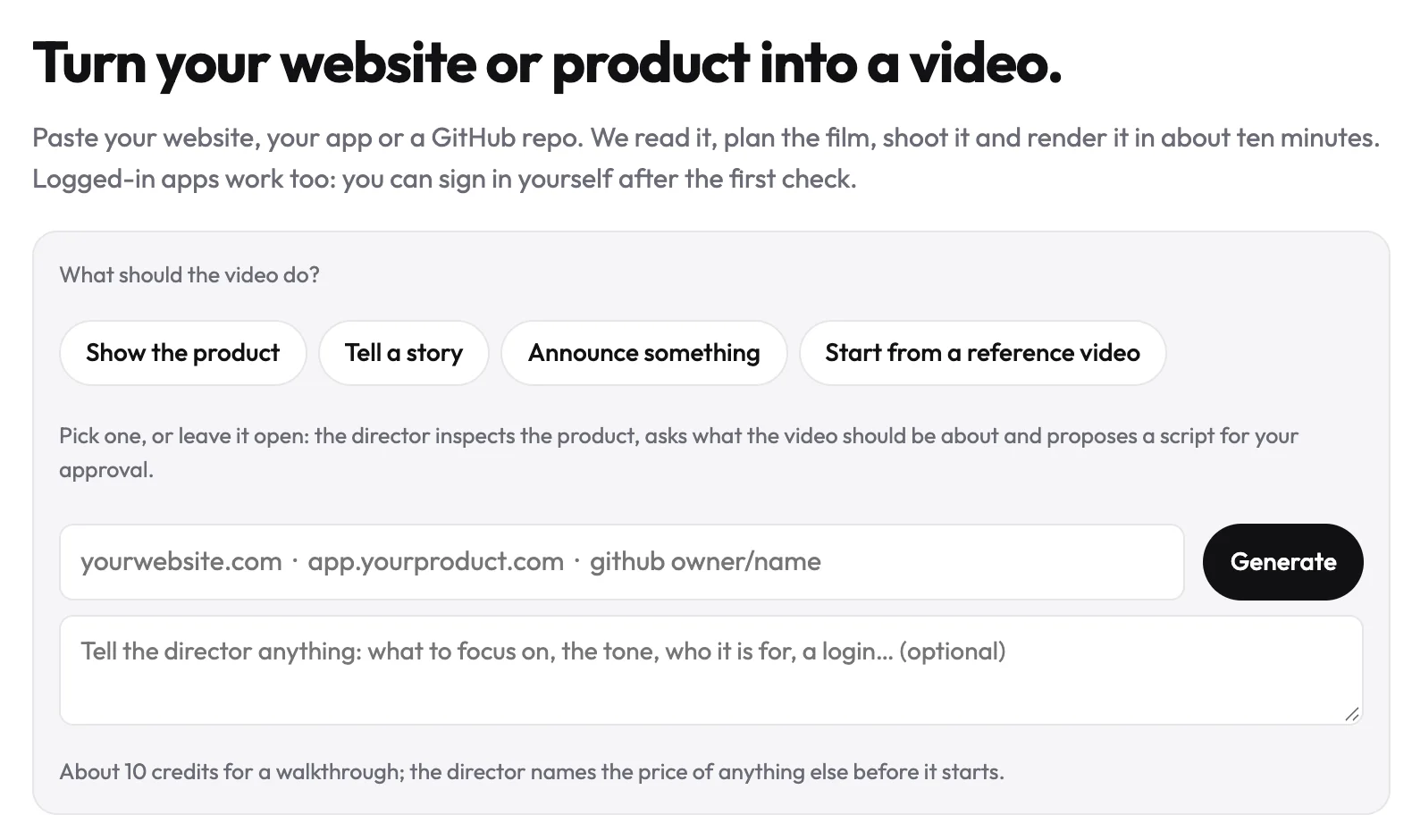
Paste your site's address if it's live. The AI product video generator films the real pages and writes a storyboard for you to approve.
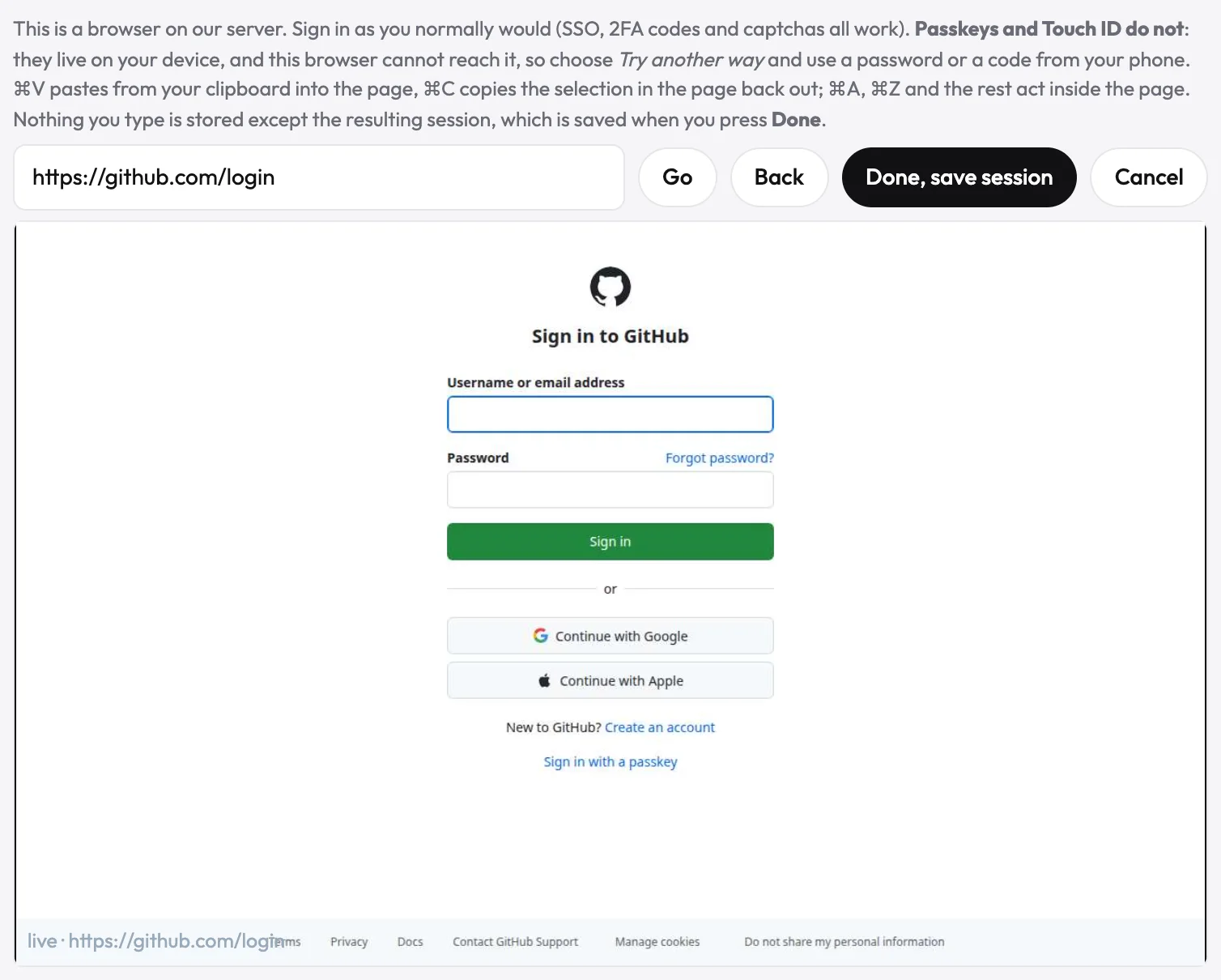
Sign in once if the app sits behind a login. You do it in a browser streamed to you, and SSO and two-factor codes work. For passkeys, choose "Try another way" and use a password or a code from your phone.
Paste owner/name if all you have is a repo, as with a developer tool. The director plans the film from the README and files before any site exists.
Set a launch film against your date. The pricing page lists Lite's 25 credits as about 2 launch films. You're done when the film sits on the launch page before launch day.
Decide whether a face helps. If it does, try an avatar tool or uscale's founder avatar film. One clear photo becomes a presenter for your approved lines.
Ask from your editor if you work in Claude, Cursor or VS Code. Connect uscale's MCP server. The script and the link to the finished video come back in that chat.
Keep your recorder or editor for a live-action shoot, a founder filmed on camera or footage you already have. uscale isn't the route for those.
If you do one thing
Within the hour, set up a demo account with sample data. Then no real customer appears on screen, whichever route you pick. Chatting and reading your site cost nothing. To stay free all the way, write the script in a doc and read it over the screen recorder you already have.
Success looks like one link sales can send, a README with a demo, or the film on your launch page.
Try it: make a promo video of your SaaS product: your live app filmed, with a script you approve line by line.
What's the fastest way to get your first SaaS promo?
The fastest way is to start from your own product, not from a showreel. Here are three things you can do today:
- Decide where the picture should come from. It can be your real screens, a presenter or generated scenes.
- Write the one job the video must do, in a single sentence. "Show a new user how to send their first invoice" is a job. "Show everything" isn't.
- Make the first one. Your first video is free.
The promo doesn't need an editor. It needs one sentence you believe in and your product on screen.
Make your ai saas promo video tool from your website — it’s free →
Questions
What is an AI SaaS promo video tool?
An AI SaaS promo video tool is software that uses AI to take on some of the jobs of making a short promotional video for a software product: the script, the pictures of the product, the voice and the cut. The kinds differ by where the picture comes from. Screen recorders film your real product, avatar tools supply a presenter, prompt-to-video models generate scenes, and URL- or repo-to-video tools film your live app.
Do I have to record my screen to make a SaaS promo video?
Recording your screen is one way to make a SaaS promo video, but not the only one. A screen recorder shows your real product but leaves you the script, the take and the voice. A URL-to-video tool such as uscale opens your live site or app, clicks through it and films each screen itself, so you record nothing. Your job is to read and approve the narration script before anything is filmed.
Can an AI tool film an app behind a login?
Some AI video tools can film an app behind a login. uscale does it after you sign in once yourself, in a browser streamed to you, typing your password into your own sign-in page. SSO, two-factor codes and captchas work. For passkeys, choose Try another way and use a password or phone code. The film shows whatever the signed-in account shows, so use a demo account with sample data.
Can AI make a promo video from a GitHub repo?
Yes, AI can make a promo video from a GitHub repo. uscale connects to GitHub with read-only access, reads the repository's README, files and package, and plans a film of the project, even before there is a live site to film. On the Generate page you paste owner/name in the address field, the way you would paste a website. The app cannot change your code, and public repositories also need the GitHub connection today.
How much does an AI SaaS promo video cost?
The cost of an AI SaaS promo video depends on how the tool charges: per month, per second or per credit. As listed on 18 October 2026, HeyGen Creator and Synthesia Starter are $29 a month, Runway Standard is $15 a month, and Veo 3.1 Standard is $0.40 per second at 720p or 1080p. uscale's first video is free. After that, uscale's pricing page lists Lite at $29 for 25 credits, paid once, enough for about 2 product walkthroughs.

The team behind uscale, which turns a website, web app or GitHub repo into a narrated product video.