Approve the storyboard
How to read the director's storyboard, change it in the chat, and give the go that starts the film.
Before anything is filmed or charged, the director shows you the storyboard: each beat of the film, what is on screen, and the line the voice says over it.
Reading the storyboard
- Beats in order. Each beat has a length in seconds, what the viewer sees, and the narration line.
- The ending. The last beat is the close: your name, one line, and where to go.
- What it costs. When the director asks for your go, it says what the next step costs in credits.
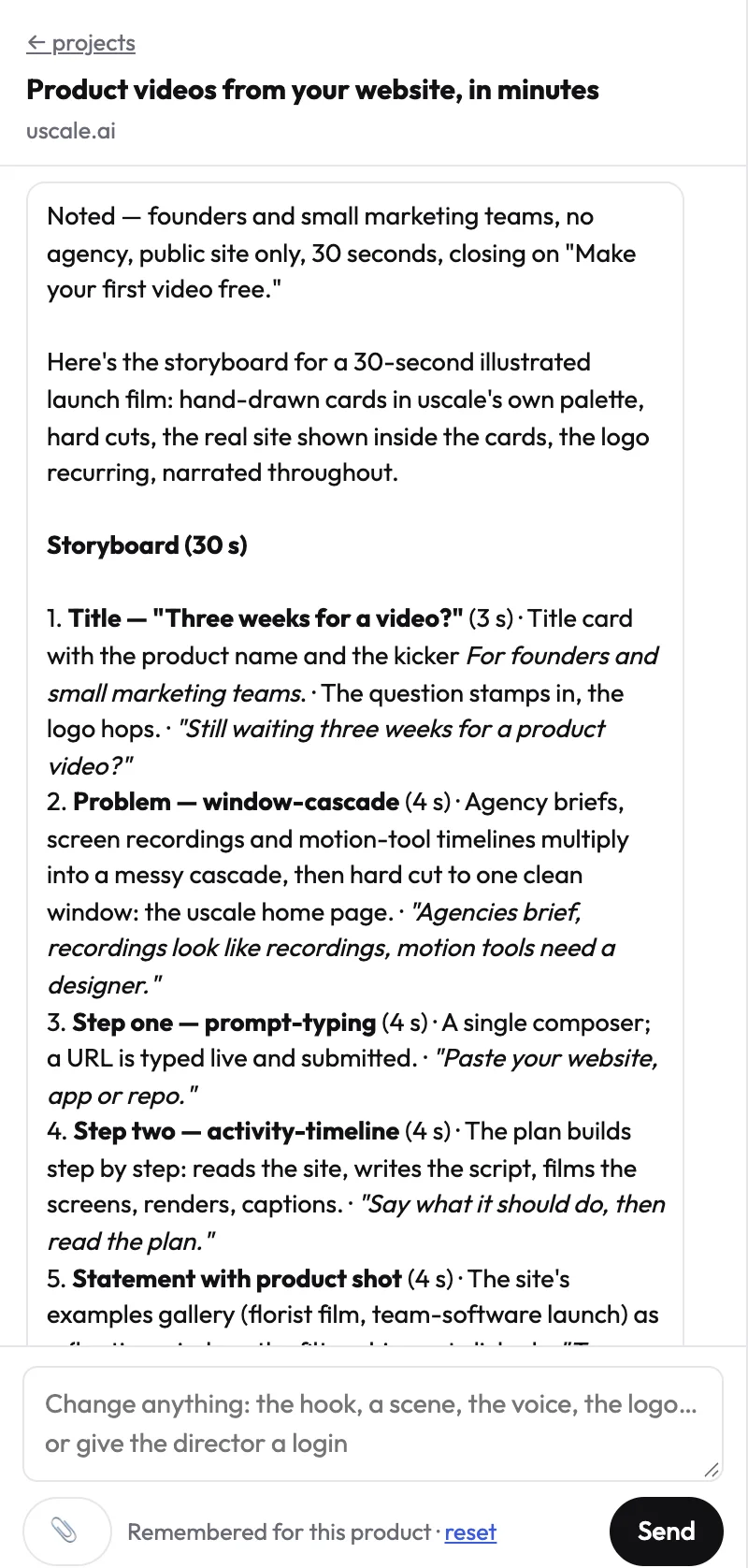
Changing it
Reply in the chat with what to change. Be specific about which beat:
Prompt
Keep the storyboard, but in beat <3> say <the new line> and show <what should be on screen>.
The director rewrites the storyboard and shows it again. Repeat until it is right.
Giving the go
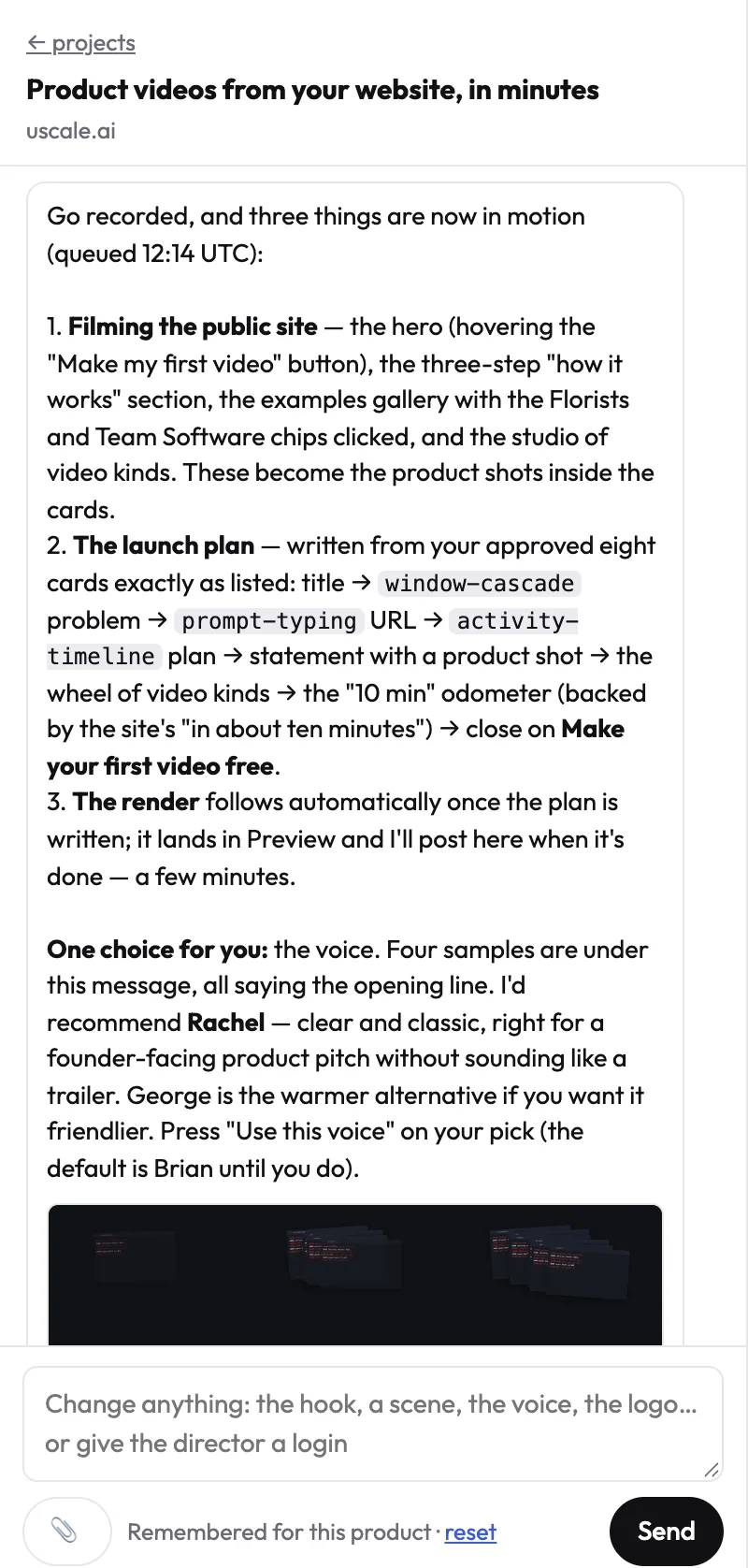
When it reads right, say so in plain words, for example "Approved, go ahead." The director only starts filming, designing or rendering after a clear go in your latest message.
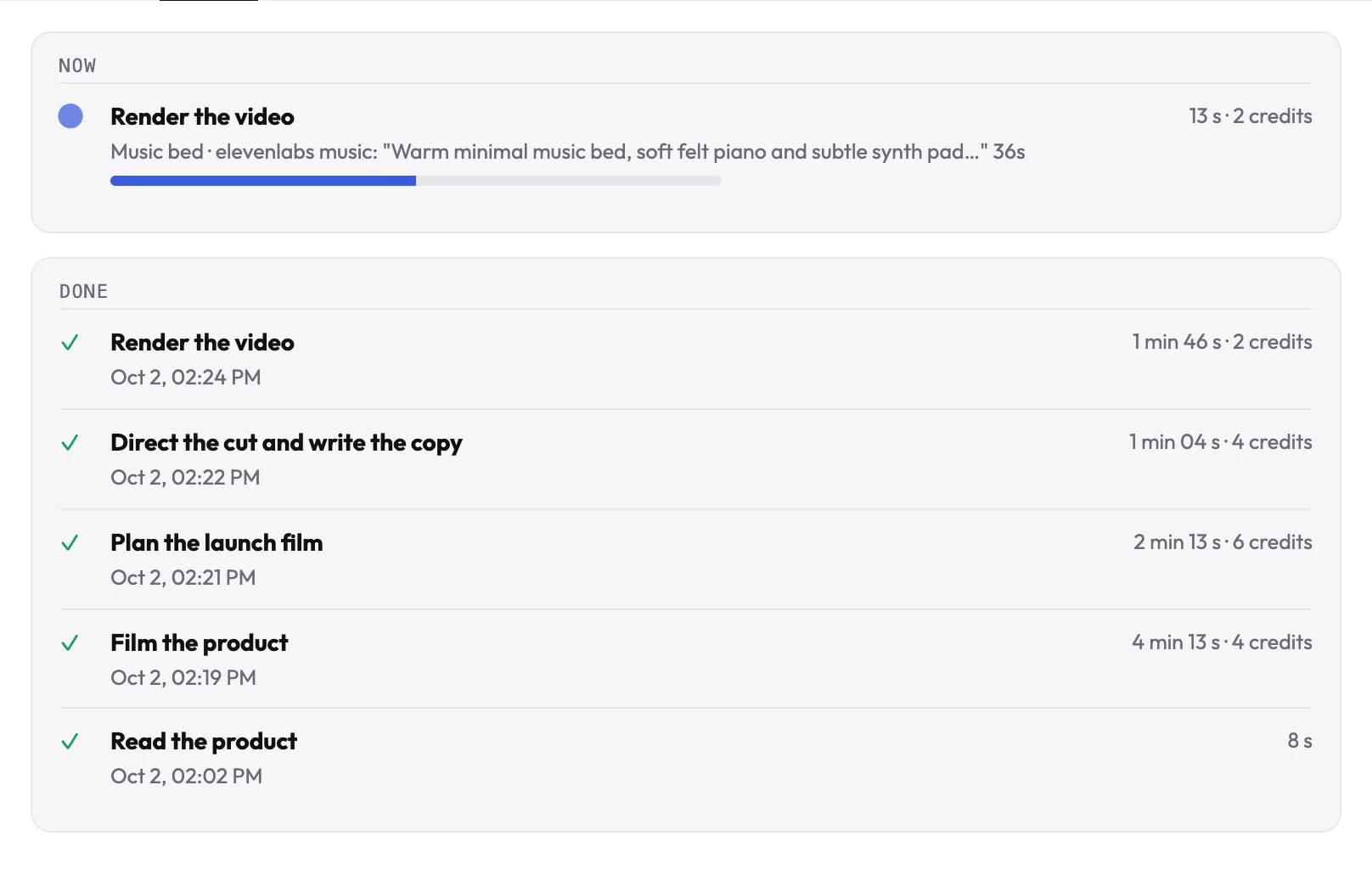
TipFollow the work in the Tasks tab: what is running, what is done and what comes next. You get an email when the film is ready.
Try it on your own product. Your first video is free.
Make a video