Start a film the right way
The first message that gets the director to read your product, ask the right questions and propose a storyboard before it spends anything.
The director works best when it understands the product before it plans anything. Your first message decides how the session goes.
The prompt
Prompt
Look at the product first and tell me in a few lines what it does. Ask me what the video should be about and who it is for, then propose the script and the storyboard, every beat with its narration line, for my approval before you film or spend anything.
What happens next
- The director reads your product. It opens your site (or the repository) and tells you in a few lines what it found.
- It asks what the film is for. Usually: who the audience is, what the film should make them do, and whether a login is needed to see the screens that matter.
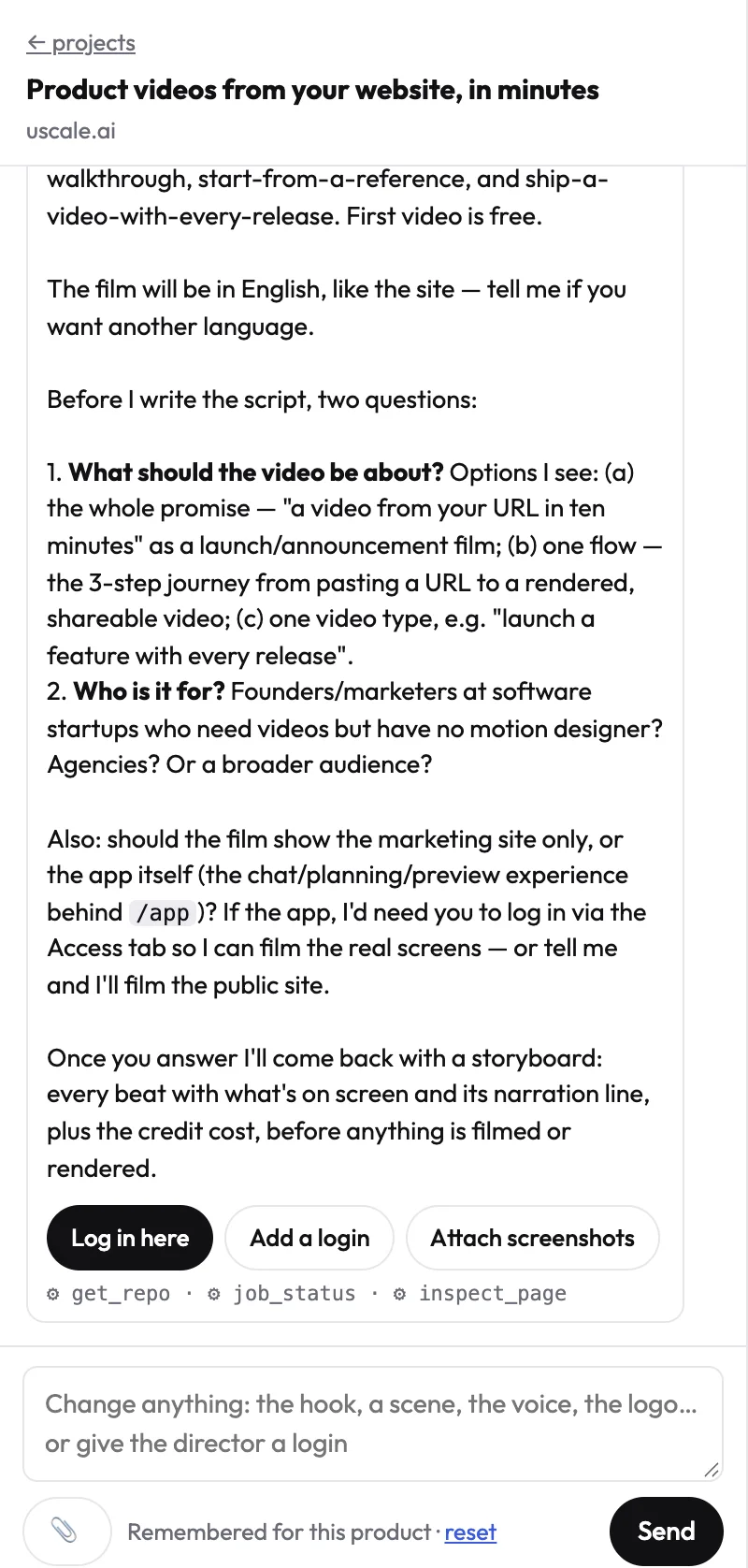
- You answer in plain words. For example: "For founders and small marketing teams. No login needed. A 30-second launch film that ends on our free trial."
- It proposes the storyboard. Every beat with what is on screen and the line the voice says. Nothing is filmed yet.
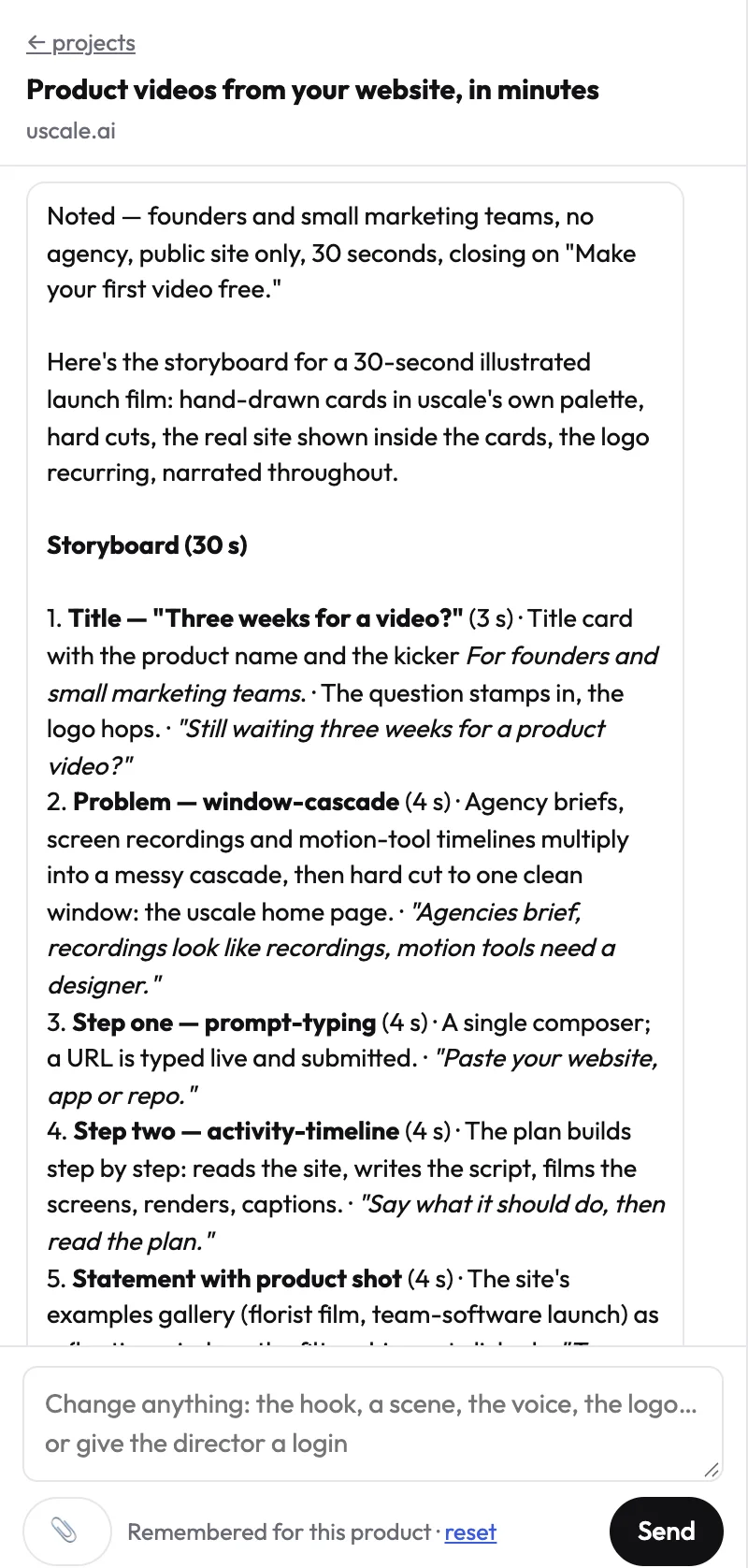
TipSay the length and the ending you want in your answer. Both shape the storyboard more than anything else.
If the director needs more
If the product needs a login, it asks you to sign in through Log in here. If you have a brief or positioning document, attach it: see Give the director your brief or documents.
Try it on your own product. Your first video is free.
Make a video